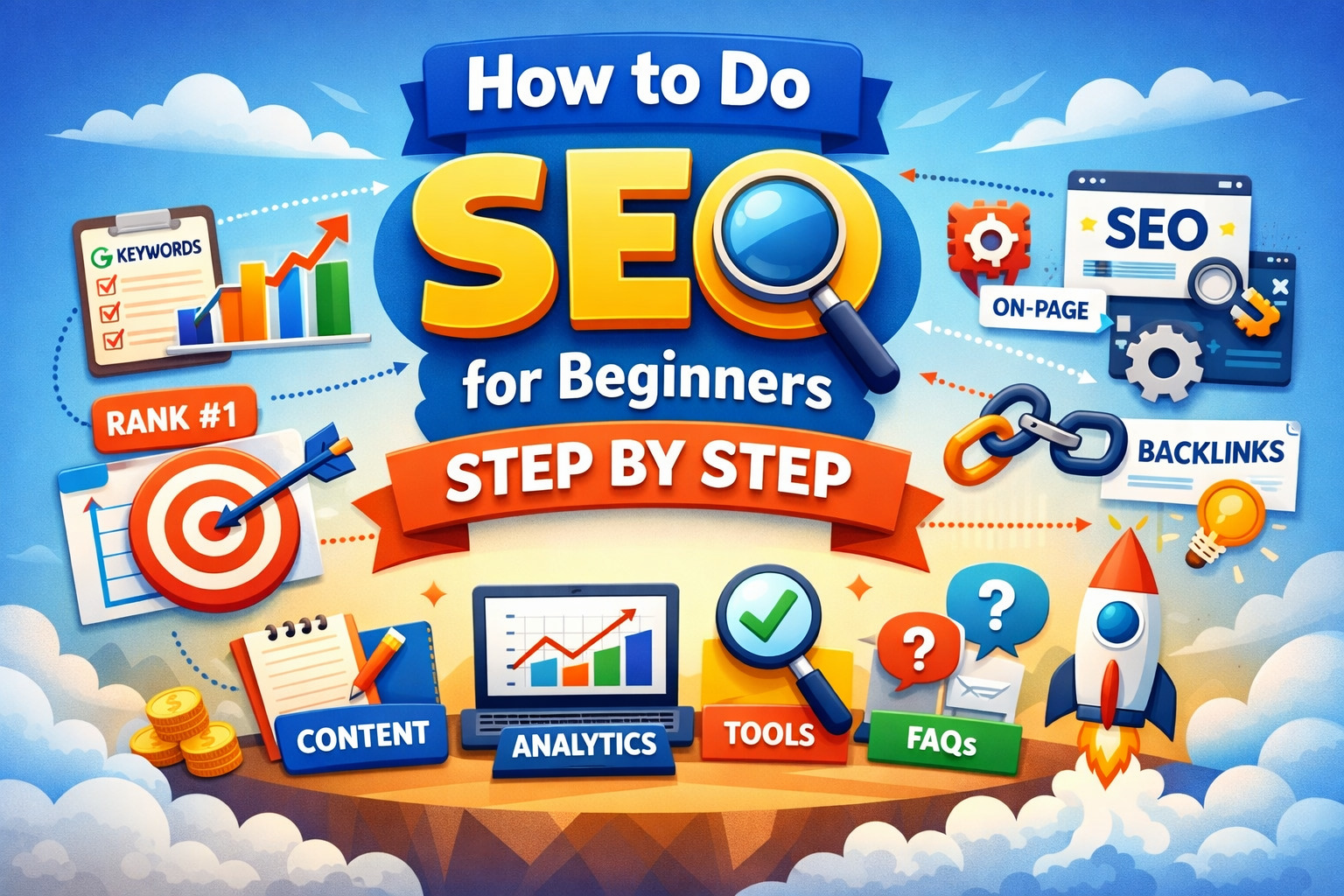
How to do SEO for beginners step by step is one of the most searched questions by people starting their digital journey. In today’s digital world, having a website is not enough — people must be able to find it on Google. This is where SEO (Search Engine Optimization) comes in. SEO is the process of improving your website so it ranks higher on search engines and attracts free, organic traffic.
If you’re a beginner, SEO might sound technical or confusing. But the truth is — anyone can learn SEO step by step without coding or expensive tools. With the right strategy, even small websites can compete with big brands.
In this guide, you’ll learn how to do SEO for beginners, explained in simple language. We’ll cover everything from keyword research and content creation to on-page SEO, backlinks, and tracking results — so you can start ranking your website and growing traffic confidently.
Whether you’re a blogger, business owner, freelancer, or student, this step-by-step SEO guide will help you build a strong foundation and get real results.
What Is SEO?
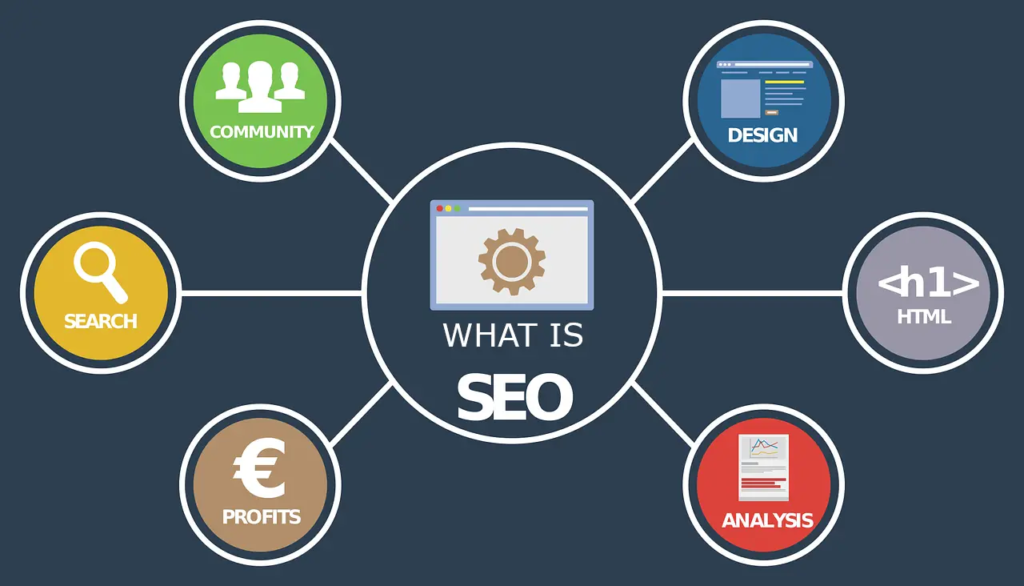
SEO stands for Search Engine Optimization. It is the process of improving your website so it appears higher in search engine results like Google, Bing, or Yahoo when people search for related topics.
In simple words, SEO helps your website get free traffic from Google.
For example, if someone searches “best tennis court flooring in India” and your website appears on page one — that happened because of SEO.
Search engines use algorithms to decide which pages deserve top rankings. SEO helps you optimize your content, website structure, and online presence so search engines understand your site better and show it to the right audience.
Why Is SEO Important?
Here’s why SEO matters, especially for beginners:
✅ Brings organic (free) website traffic
✅ Builds trust and credibility
✅ Increases leads and sales
✅ Works 24/7 once rankings improve
✅ Gives long-term results compared to paid ads
Unlike ads, SEO doesn’t stop when you stop paying — a well-optimized page can bring traffic for months or even years.
How Does SEO Work?
SEO mainly focuses on three areas:
- On-Page SEO: Optimizing your content, headings, keywords, images, and internal links
- Technical SEO: Improving website speed, mobile friendliness, and indexing
- Off-Page SEO: Building backlinks and brand authority
When all three work together, Google rewards your website with better rankings.
Types of SEO Beginners Must Know
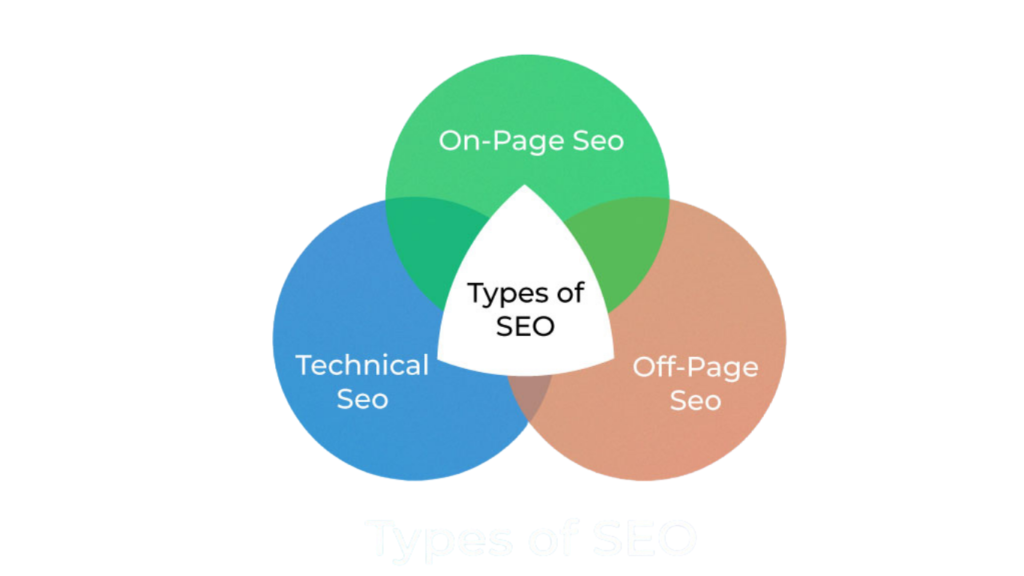
SEO is not just one thing — it’s made up of different parts that work together to help your website rank on Google. As a beginner, you should understand these three main types of SEO:
✅ 1. On-Page SEO
On-Page SEO focuses on optimizing everything inside your website.
This includes:
- Writing high-quality content
- Using keywords naturally
- Optimizing page titles & meta descriptions
- Proper heading structure (H1, H2, H3…)
- Internal linking
- Image optimization (ALT tags)
- SEO-friendly URLs
👉 Example: Adding your main keyword in the page title and headings is On-Page SEO.
Goal: Help Google understand your content and improve user experience.
✅ 2. Technical SEO
Technical SEO makes sure your website is easy for search engines to crawl and index.
Important Technical SEO factors:
- Website loading speed
- Mobile responsiveness
- HTTPS security
- XML sitemap
- Robots.txt file
- Fixing broken links
- Clean site structure
Tools beginners can use:
- Google Search Console
- PageSpeed Insights
👉 Example: Making your website mobile-friendly is Technical SEO.
Goal: Ensure search engines can access and rank your site properly.
✅ 3. Off-Page SEO
Off-Page SEO is everything you do outside your website to build authority.
It mainly includes:
- Backlink building
- Guest posting
- Business listings
- Social sharing
- Brand mentions
Backlinks are links from other websites pointing to your site. Google treats them like “votes of trust.”
👉 Example: Getting a link from another blog is Off-Page SEO.
Goal: Increase your website’s credibility and authority.
🔑 Bonus Tip for Beginners
Successful SEO happens when On-Page + Technical + Off-Page work together. Ignoring any one of these can slow your ranking growth.
Step 1 – Keyword Research (Foundation of SEO)
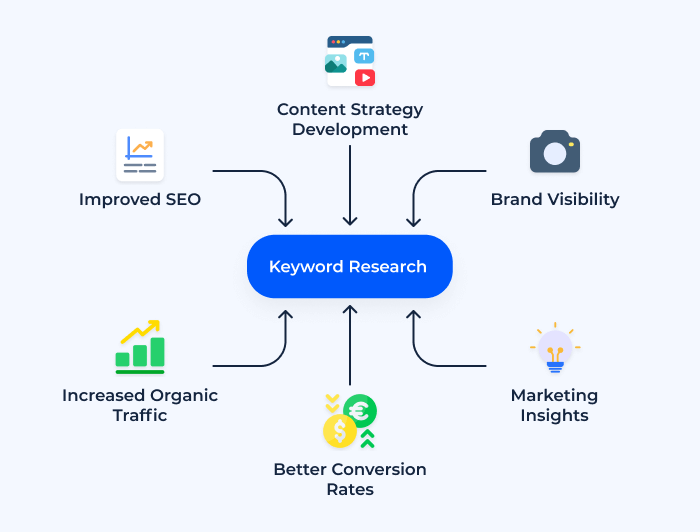
Keyword research is the most important step in SEO. If you choose the wrong keywords, even great content won’t rank. But if you pick the right keywords, your website can start getting traffic faster.
Simply put, keywords are the words or phrases people type into Google.
Example:
- “how to learn SEO”
- “tennis court flooring cost”
- “best SEO tools for beginners”
Your goal is to find keywords that people are searching for — and then create content around them.
What Are Keywords?
Keywords are search terms users enter on Google to find information, products, or services.
There are mainly two types:
🔹 Short-Tail Keywords
- 1–2 words
- Very high competition
- Example: SEO, marketing
🔹 Long-Tail Keywords (Best for Beginners)
- 3–6 words
- Lower competition
- More targeted traffic
- Example: how to do SEO for beginners
👉 Beginners should always focus on long-tail keywords first.
Free Keyword Research Methods for Beginners
You don’t need expensive tools to start. Here are simple free ways:
✅ Google Autocomplete
Start typing your topic in Google and note suggested searches.
✅ People Also Ask
Scroll Google results to find common questions.
✅ Related Searches
Bottom of Google results = goldmine for ideas.
✅ Free Tools
- Google Keyword Planner
- Ubersuggest
- AnswerThePublic
These tools show:
- Search volume
- Keyword difficulty
- Related keyword ideas
How to Choose the Right Keywords (Beginner Formula)
Use this simple rule:
👉 Low competition + decent searches + clear intent
Check:
- Search Volume: At least 100+ monthly searches
- Difficulty: Low to medium
- Intent: Informational, commercial, or transactional
- Competition: Avoid big brands when starting
Example of good beginner keyword:
“how to do SEO for beginners step by step”
Keyword Mapping (Pro Beginner Tip)
Assign one main keyword per page and 3–5 supporting keywords.
Example:
Main keyword:
👉 how to do SEO for beginners
Supporting keywords:
- SEO basics for beginners
- beginner SEO guide
- learn SEO step by step
Use them naturally in:
- Headings
- Content
- Image ALT tags
Common Keyword Research Mistakes
❌ Targeting high-competition keywords
❌ Ignoring search intent
❌ Stuffing keywords
❌ Using only one keyword
Avoid these to grow faster.
Step 2 – Competitor Analysis

After keyword research, the next important step is competitor analysis. This means studying the websites that already rank on Google for your target keyword — and learning what they’re doing right.
Instead of guessing, you reverse-engineer success.
If others are ranking, it means Google already likes that type of content. Your job is to create something better.
What Is Competitor Analysis in SEO?
Competitor analysis is the process of:
- Finding top-ranking pages for your keyword
- Studying their content
- Checking their headings and structure
- Understanding their backlinks
- Identifying gaps you can improve
This helps you build smarter content and rank faster.
How to Find Your SEO Competitors
- Open Google
- Search your main keyword
- Note the top 5 organic results (ignore ads)
These are your real SEO competitors.
What to Analyze on Competitor Pages
Here’s a beginner-friendly checklist:
✅ Content Length
Check how long their article is.
If they wrote 1500 words, aim for 2000+ with better value.
✅ Headings Structure
Look at their H2 and H3 headings.
Ask:
- What topics did they cover?
- What did they miss?
✅ Keywords Used
Notice:
- Main keyword in title
- Supporting keywords in subheadings
Tools beginners can use:
- Ubersuggest
- Ahrefs (free version)
- SEO Minion Chrome extension
✅ Images & Visuals
Do they use images, charts, or examples?
You should add:
- More visuals
- Screenshots
- Simple diagrams
✅ FAQs Section
Many ranking pages use FAQs.
Add more detailed FAQs to stand out.
✅ Backlinks (Optional for Beginners)
Backlinks are links from other websites.
Check using:
- Ubersuggest
- Ahrefs Free Backlink Checker
You don’t need more backlinks — just better content first.
Create a “Better Than Competitor” Plan
After analysis, improve by:
✔ Writing longer content
✔ Explaining concepts simply
✔ Adding step-by-step guides
✔ Including FAQs
✔ Using updated info
✔ Improving formatting
This is called the Skyscraper Technique.
Beginner Mistakes to Avoid
❌ Copying competitor content
❌ Ignoring search intent
❌ Not adding unique value
❌ Focusing only on backlinks
Quick Action Task
Before moving to Step 3:
✅ Search your keyword
✅ Open top 3 results
✅ Note headings
✅ Count FAQs
✅ Identify missing points
Step 3 – Create SEO-Friendly Content
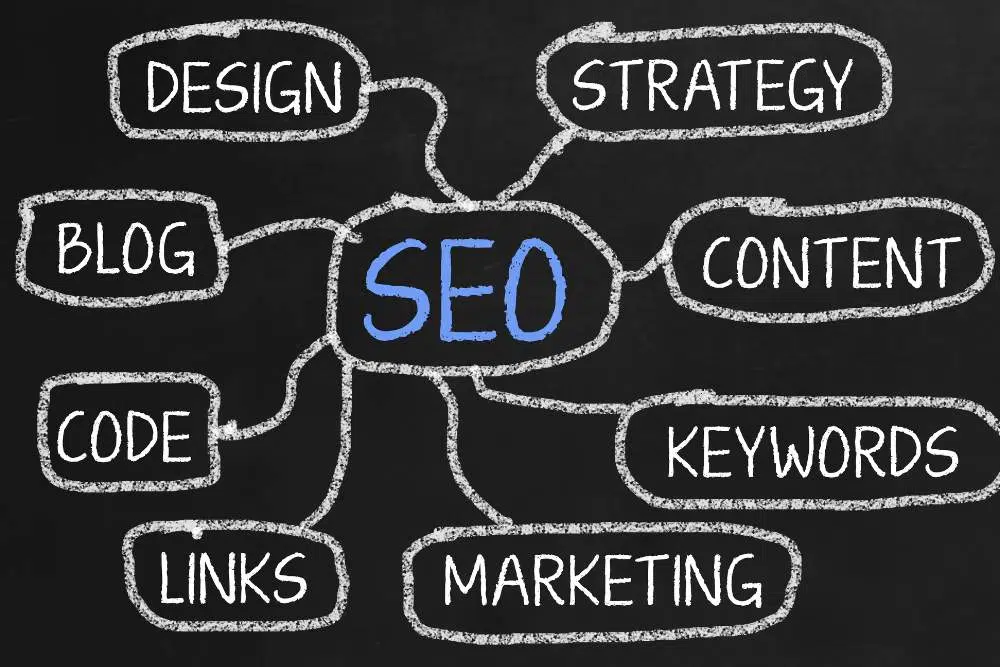
Once you’ve done keyword research and competitor analysis, it’s time to create content. This is where most beginners struggle — but ranking on Google mainly depends on helpful, well-structured content.
Remember:
👉 Write for humans first, then optimize for search engines.
Google rewards content that solves user problems clearly and completely.
What Is SEO-Friendly Content?
SEO-friendly content is content that:
✅ Answers search intent
✅ Uses keywords naturally
✅ Is easy to read
✅ Has proper headings
✅ Includes visuals
✅ Provides real value
It’s not about stuffing keywords — it’s about creating the best possible answer to a search query.
How to Structure Your Blog Post (Beginner Format)
Use this simple layout:
- H1 – Main Title (only one)
- Introduction (100–150 words)
- H2 – Main sections
- H3 – Sub-points
- Bullet points for clarity
- Conclusion
- FAQs
Good formatting improves both rankings and user experience.
How to Write Content Google Loves
Follow these beginner tips:
✅ Use Your Main Keyword Properly
Place your main keyword in:
- Title (H1)
- First 100 words
- At least one H2
- Meta description
- URL
But keep it natural.
✅ Add Supporting Keywords
Use related keywords throughout the article to help Google understand your topic.
Example:
Main keyword: how to do SEO for beginners
Supporting keywords:
- SEO basics
- beginner SEO guide
- learn SEO step by step
✅ Write Simple and Clear
Avoid complicated words.
Short sentences work best.
Pretend you’re explaining to a friend.
✅ Add Images and Examples
Visuals help:
- Reduce bounce rate
- Improve engagement
- Explain concepts faster
Always add ALT text to images.
✅ Make Your Content Better Than Competitors
You can win by:
✔ Adding more steps
✔ Giving real examples
✔ Including FAQs
✔ Updating info
✔ Adding checklists
Ideal Content Length for Beginners
There’s no fixed rule, but aim for:
- Informational blogs: 1500–2500 words
- Guides: 2000+ words
Longer content usually ranks better — if it’s useful.
Common Content Mistakes Beginners Make
❌ Copying others
❌ Keyword stuffing
❌ Writing thin content
❌ No headings
❌ No FAQs
Avoid these if you want faster results.
Step 4 – On-Page SEO Optimization
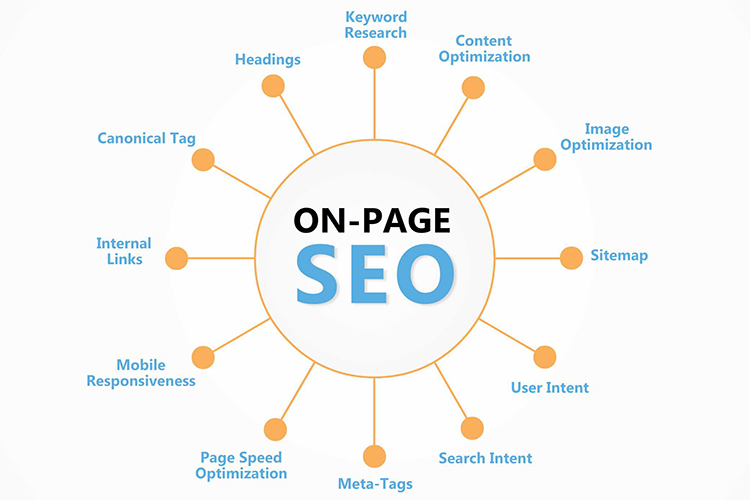
After creating your content, the next step is On-Page SEO. This means optimizing individual web pages so Google can clearly understand your content and rank it higher.
Think of On-Page SEO as telling Google what your page is about.
Even the best content won’t rank if On-Page SEO is weak.
What Is On-Page SEO?
On-Page SEO includes all optimizations done inside your website, such as:
- Page title
- Meta description
- Headings
- URLs
- Images
- Internal links
- Keywords
These elements help search engines understand relevance and improve user experience.
Beginner On-Page SEO Checklist
Follow this simple checklist for every page:
✅ SEO Title (Title Tag)
Your title should:
- Contain your main keyword
- Be under 60 characters
- Be attractive for clicks
Example:
How to Do SEO for Beginners – Step-by-Step Guide
✅ Meta Description
This is the small text shown below your title in Google.
Tips:
- 140–160 characters
- Include main keyword
- Add a call-to-action
Example:
Learn SEO step by step with this beginner guide. Discover keyword research, content tips, and ranking strategies.
✅ URL Optimization
Keep URLs:
- Short
- Clean
- Keyword-rich
Bad:
site.com/page123?id=45
Good:
site.com/seo-for-beginners
✅ Headings Structure (H1–H3)
- Use only one H1
- Use H2 for main sections
- Use H3 for subpoints
This improves readability and SEO.
✅ Image Optimization
For every image:
- Compress size
- Add ALT text
- Use descriptive file names
Example ALT text:
seo-keyword-research-process
✅ Internal Linking
Link to related pages on your own website.
Benefits:
✔ Improves crawlability
✔ Reduces bounce rate
✔ Passes SEO value
Aim for 3–5 internal links per article.
✅ Add Schema (Optional for Beginners)
Schema helps Google show rich results like FAQs.
Use plugins like:
- RankMath
- Yoast
Common On-Page SEO Mistakes
❌ Missing meta tags
❌ Multiple H1 tags
❌ Keyword stuffing
❌ No internal links
❌ Unoptimized images
Avoid these for better rankings.
Step 5 – Technical SEO Basics
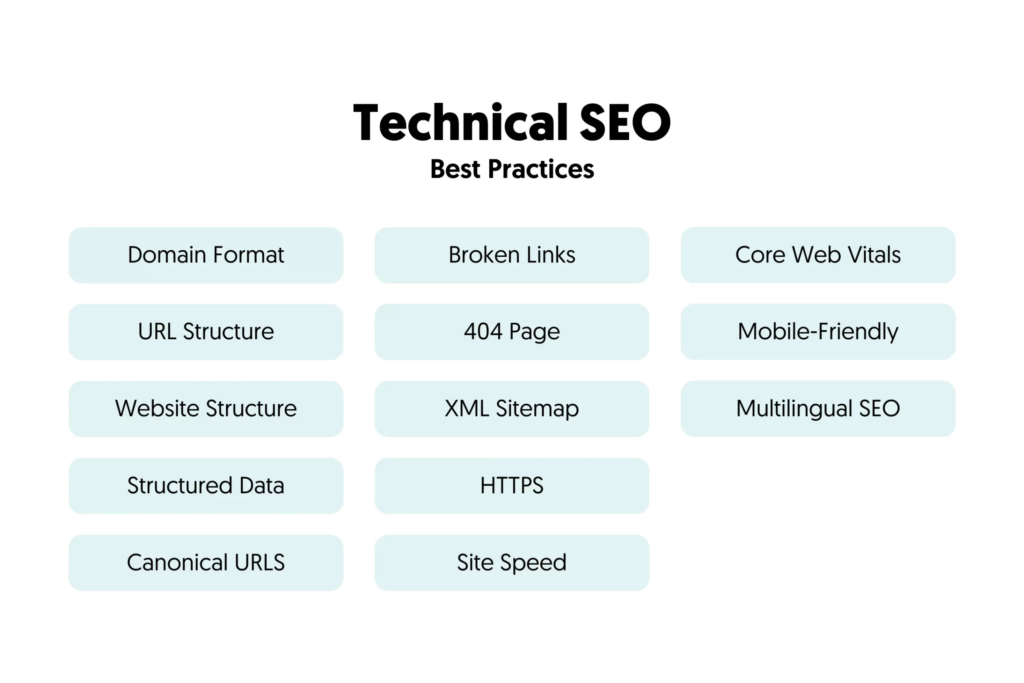
Technical SEO focuses on improving your website’s backend so search engines can easily crawl, index, and rank your pages. While it sounds complicated, beginners only need to handle a few important basics.
Think of Technical SEO as building a strong foundation for your website.
Without it, even great content may struggle to rank.
What Is Technical SEO?
Technical SEO ensures that:
✅ Google can find your pages
✅ Your website loads fast
✅ Your site works well on mobile
✅ Your pages are secure (HTTPS)
It’s about website performance and structure.
Beginner Technical SEO Checklist
Here are the most important Technical SEO elements every beginner must fix:
✅ Website Speed
Slow websites lose rankings and visitors.
Check speed using:
- Google PageSpeed Insights
Improve speed by:
- Compressing images
- Using caching plugins
- Removing unused plugins
- Choosing good hosting
Aim for under 3 seconds load time.
✅ Mobile Friendliness
Most Google searches happen on mobile.
Your site must:
- Adjust to screen sizes
- Have readable text
- Use responsive design
Test using Google’s Mobile-Friendly Test.
✅ HTTPS Security
Make sure your website uses HTTPS (SSL certificate).
HTTPS builds trust and is a Google ranking factor.
✅ XML Sitemap
A sitemap helps Google discover all your pages.
Create automatically using:
- RankMath
- Yoast
Then submit it in Google Search Console.
✅ Robots.txt File
This tells search engines which pages to crawl.
Beginners usually don’t need to edit it — just ensure it exists.
✅ Fix Broken Links
Broken links hurt user experience and SEO.
Use tools like:
- Broken Link Checker plugin
- Ahrefs free tools
Tools Beginners Should Use
- Google Search Console
- Google PageSpeed Insights
- RankMath / Yoast
These are enough to start.
Common Technical SEO Mistakes
❌ Ignoring speed
❌ No sitemap
❌ Not mobile-friendly
❌ HTTP instead of HTTPS
❌ Too many heavy plugins
Avoid these to rank faster.
Step 6 – Off-Page SEO (Backlinks Building)
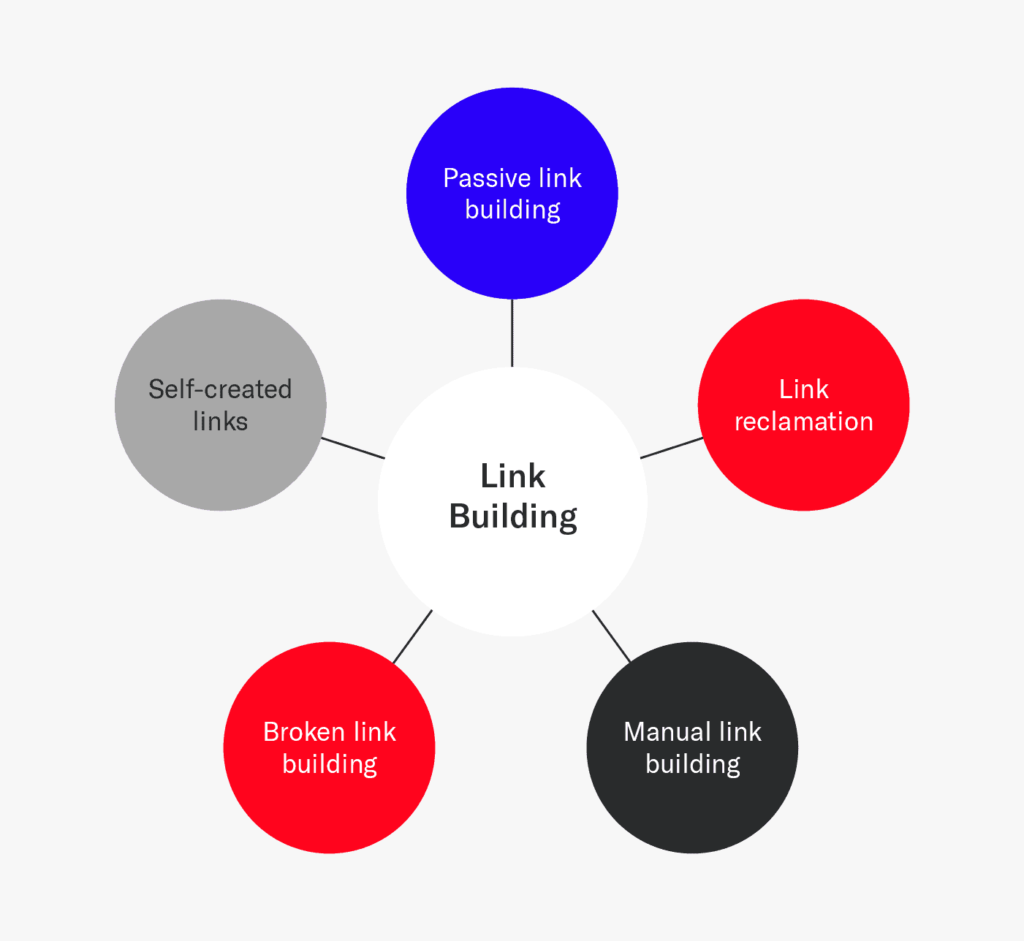
After fixing On-Page and Technical SEO, it’s time to focus on Off-Page SEO. This mainly involves building backlinks and increasing your website’s authority across the internet.
Simply put:
👉 Off-Page SEO = Trust building for your website.
Google uses backlinks as “votes.” The more quality votes you have, the higher your chances of ranking.
What Are Backlinks?
Backlinks are links from other websites pointing to your website.
Example:
If another blog links to your article, that’s a backlink.
Not all backlinks are equal. One link from a trusted website is better than 50 low-quality links.
Why Are Backlinks Important?
Backlinks help:
✅ Improve rankings
✅ Increase domain authority
✅ Bring referral traffic
✅ Build brand credibility
Without backlinks, ranking for competitive keywords becomes difficult.
Beginner-Friendly Link Building Methods
You don’t need advanced strategies to start. Try these simple methods:
✅ Guest Posting
Write articles for related blogs and include a link to your site.
Steps:
- Find niche blogs
- Email them
- Offer valuable content
- Add your link naturally
✅ Business Listings
Submit your website to directories like:
- Google Business Profile
- Justdial
- IndiaMart
- Sulekha
Great for beginners and local SEO.
✅ Profile Backlinks
Create profiles on platforms like:
- Medium
- Quora
- About.me
Add your website link in the bio.
✅ Web 2.0 Blogs
Create mini blogs on:
- WordPress.com
- Blogger
- Medium
Post useful content and link back.
✅ Blog Commenting (Carefully)
Leave genuine comments on related blogs (don’t spam).
Quality Over Quantity Rule
Always remember:
👉 5 high-quality backlinks > 100 spam links
Avoid buying cheap backlinks — they can harm your site.
Common Off-Page SEO Mistakes
❌ Buying backlinks
❌ Using same anchor text everywhere
❌ Spamming comments
❌ Ignoring content quality
Step 7 – Local SEO (For Business Owners)

If you run a local business or provide services in a specific city, Local SEO helps your business appear in Google Maps and local search results like:
- “SEO agency near me”
- “tennis court flooring in Gurgaon”
- “digital marketing services in Delhi”
Local SEO is extremely powerful because it targets ready-to-buy customers nearby.
What Is Local SEO?
Local SEO is the process of optimizing your online presence so your business shows up when people search for services in your area.
It mainly focuses on:
✅ Google Business Profile
✅ Local keywords
✅ Reviews
✅ Business listings
✅ NAP consistency
(NAP = Name, Address, Phone Number)
Step-by-Step Local SEO Setup for Beginners
✅ Create or Optimize Google Business Profile
This is the most important Local SEO step.
Go to Google Business Profile and:
- Add business name
- Choose correct category
- Enter address & phone
- Add website link
- Upload real photos
- Write keyword-rich description
Verify your listing to appear on Google Maps.
✅ Use Local Keywords on Your Website
Add city/location in:
- Page titles
- H1 headings
- Meta descriptions
- Content
Example:
Best Tennis Court Flooring Company in Faridabad
✅ Maintain NAP Consistency
Your business Name, Address, and Phone must be identical everywhere:
- Website
- Google profile
- Directories
This builds Google trust.
✅ Get Customer Reviews
Ask happy customers to leave Google reviews.
More reviews = better rankings.
Pro tip: Reply to every review.
✅ Submit Local Citations
List your business on platforms like:
- Justdial
- Sulekha
- IndiaMart
- TradeIndia
- Yelp
These help improve local authority.
Common Local SEO Mistakes
❌ Wrong business category
❌ Fake addresses
❌ Ignoring reviews
❌ Inconsistent NAP
❌ No local content
Avoid these to rank faster locally.
Step 8 – Track SEO Performance

SEO is not “set and forget.” To grow consistently, you must track your performance and see what’s working — and what needs improvement.
Without tracking, you’re just guessing.
This step helps you understand how much traffic you’re getting, which keywords are ranking, and how users behave on your website.
Why Tracking SEO Is Important
Tracking helps you:
✅ Know which pages bring traffic
✅ See keyword ranking improvements
✅ Identify low-performing pages
✅ Measure leads or conversions
✅ Improve your SEO strategy
Even small improvements can bring big results over time.
Essential SEO Tools for Beginners
You only need two free tools to start:
✅ Google Search Console
Shows how your website performs in Google search.
You can track:
- Total clicks
- Impressions
- Average position
- Top keywords
- Indexed pages
- Errors
Also submit your sitemap here.
✅ Google Analytics
Shows how visitors use your website.
Track:
- Organic traffic
- Page views
- Bounce rate
- Session duration
- Top pages
Together, these tools give a complete SEO picture.
Key SEO Metrics Beginners Should Monitor
Focus on these simple metrics:
📈 Organic Traffic
Visitors coming from search engines.
🔍 Keyword Rankings
Check which keywords are improving.
👁 Impressions
How many times your site appears on Google.
📍 Average Position
Your ranking location for keywords.
⏱ Engagement
Time spent on page and bounce rate.
How Often Should You Check SEO?
For beginners:
- Weekly: Search Console
- Monthly: Analytics
- Monthly: Keyword rankings
SEO takes time — don’t panic over daily changes.
Beginner SEO Tracking Mistakes
❌ Checking rankings every day
❌ Ignoring Search Console errors
❌ Not updating old content
❌ Expecting instant results
SEO usually takes 3–6 months to show strong growth.
Common SEO Mistakes Beginners Must Avoid

Many beginners fail at SEO not because SEO doesn’t work — but because they make small mistakes that slow down rankings or even harm their website. Understanding these mistakes early can save you months of effort.
Below are the most common SEO mistakes beginners must avoid.
❌ 1. Targeting Highly Competitive Keywords First
One of the biggest beginner mistakes is trying to rank for big, high-competition keywords like:
- “SEO”
- “Digital marketing”
- “Best shoes”
These keywords are dominated by big brands and authority websites.
What to do instead:
Focus on long-tail keywords with lower competition.
Example:
✅ “how to do SEO for beginners step by step”
❌ “SEO”
This gives you faster results and relevant traffic.
❌ 2. Ignoring Search Intent
Many beginners write content without understanding why people are searching for that keyword.
There are 4 main search intents:
- Informational
- Navigational
- Commercial
- Transactional
If your content doesn’t match intent, Google won’t rank it.
Example mistake:
Writing a sales page for a keyword meant for information.
Fix:
Always check top Google results and match the same intent.
❌ 3. Keyword Stuffing
Repeating keywords again and again does not improve rankings. In fact, it can hurt SEO.
Bad example:
“SEO for beginners is the best SEO for beginners guide to learn SEO for beginners.”
Google is smart enough to detect this.
Fix:
- Use keywords naturally
- Add related terms
- Write for humans
❌ 4. Publishing Thin or Low-Quality Content
Short, shallow, or copied content rarely ranks.
Google prefers in-depth, helpful content.
Thin content includes:
- 300–500 word articles with no value
- Copied content
- AI-generated content without editing
Fix:
Create content that fully answers user questions with examples, steps, and FAQs.
❌ 5. Ignoring On-Page SEO
Many beginners write content but forget basics like:
- Meta title
- Meta description
- Headings
- Image ALT tags
- Internal links
This makes it hard for Google to understand your page.
Fix:
Use a simple On-Page SEO checklist for every post.
❌ 6. Not Fixing Technical SEO Issues
Ignoring technical SEO can stop your site from ranking at all.
Common issues:
- Slow website
- No HTTPS
- No sitemap
- Mobile-unfriendly design
- Crawl errors
Fix:
Use Google Search Console and PageSpeed Insights regularly.
❌ 7. Buying Cheap or Spam Backlinks
This is one of the most dangerous SEO mistakes.
Spam backlinks can:
- Drop rankings
- Trigger Google penalties
- Kill website trust
Fix:
Focus on:
- Guest posts
- Business listings
- Natural links
Quality always beats quantity.
❌ 8. Expecting Instant Results
SEO is not magic.
Many beginners quit because:
- Rankings don’t improve in 1–2 weeks
- Traffic is low initially
Reality:
SEO usually takes 3–6 months for visible results.
Fix:
Stay consistent and patient.
❌ 9. Not Tracking SEO Performance
If you don’t track SEO, you don’t know what’s working.
Common mistakes:
- No Google Search Console
- No Google Analytics
- Never checking keyword performance
Fix:
Track traffic, impressions, and rankings monthly.
❌ 10. Ignoring Content Updates
SEO is not a one-time job.
Old content can lose rankings if not updated.
Fix:
- Update old posts
- Add new info
- Improve headings
- Add FAQs
This often boosts rankings faster than new content.
❌ 11. No Internal Linking Strategy
Beginners often publish posts but never link them together.
This:
- Wastes SEO power
- Confuses Google
- Increases bounce rate
Fix:
Add 3–5 internal links per article.
❌ 12. Copying Competitors
Copying content won’t help you outrank them.
Google rewards original value.
Fix:
Learn from competitors but always create better, more helpful content.
Final Advice for Beginners
Avoiding these mistakes will already put you ahead of 90% beginners.
SEO success comes from:
✅ Correct keywords
✅ Helpful content
✅ Technical clarity
✅ Quality backlinks
✅ Consistency
How Long Does SEO Take to Show Results?

This is one of the most common questions beginners ask:
👉 “I started SEO… but when will I see results?”
The truth is — SEO takes time. It is not instant like paid ads. SEO is a long-term strategy that builds trust with Google.
On average, beginners start seeing initial results in 2–3 months, and more noticeable traffic growth in 3–6 months. Strong rankings for competitive keywords can take 6–12 months or more, depending on your niche and effort.
Typical SEO Timeline (For New Websites)
Here’s a realistic breakdown:
🗓 Month 1 – Setup & Foundation
- Keyword research
- Content creation
- On-page SEO
- Technical SEO setup
- Google Search Console submission
👉 Mostly preparation. Little to no traffic.
🗓 Month 2–3 – Indexing & Early Movement
- Pages start indexing
- Keywords appear in Google (low positions)
- Small traffic may start
👉 You’ll see impressions but not many clicks.
🗓 Month 3–6 – Growth Phase
- Rankings improve
- Organic traffic increases
- Some keywords reach page 1–2
- Backlinks start helping
👉 This is when motivation comes back 😄
🗓 Month 6+ – Authority Building
- Stronger rankings
- Stable traffic
- Leads/sales increase
- Brand visibility grows
Factors That Affect SEO Speed
Results vary based on:
✅ Website age
✅ Competition level
✅ Content quality
✅ Technical SEO health
✅ Backlinks
✅ Consistency
Low-competition niches move faster. High-competition niches take longer.
Beginner Mistake: Expecting Instant Results
Many beginners quit SEO after 1 month.
This is the biggest mistake.
SEO rewards patience + consistency.
If you publish quality content regularly and follow best practices, results WILL come.
Pro Tip for Faster Results
To speed up SEO:
✔ Target long-tail keywords
✔ Publish in-depth content
✔ Fix technical issues
✔ Build quality backlinks
✔ Update old posts
Best Free SEO Tools for Beginners

Here’s a beginner-friendly list of the best free SEO tools you can use right now to research keywords, optimize content, fix technical issues, and track performance:
✅ Google Search Console
📌 Essential for monitoring how Google sees your site.
Use it to:
- See index status and crawl errors
- Track keyword impressions & rankings
- Submit your sitemap
- Find pages with low CTR
Why beginners need it: It’s official from Google and shows real search data.
✅ Google Analytics
📊 Tracks how real visitors behave on your website.
Use it to see:
- Organic traffic trends
- Top landing pages
- Bounce rate & engagement
- Session duration
Why it matters: You learn what content works and what doesn’t.
✅ Google PageSpeed Insights
⚡ Analyzes your site speed and performance.
It gives suggestions like:
- Image optimization
- Caching tips
- Script improvements
Why beginners need speed: Fast sites rank better and convert more.
✅ Google Mobile-Friendly Test
📱 Checks whether your website works well on phones & tablets.
Mobile friendliness is a ranking factor.
Quick result: Pass / Fail with improvement tips.
✅ Google Keyword Planner
🔍 A free keyword research tool (via Google Ads account).
Good for:
- Search volume ideas
- Related keyword suggestions
- Competition estimates
Perfect for beginners starting keyword research.
✅ Ubersuggest (Free Version)
🧠 Keyword suggestions + SEO metrics
Features include:
- Keyword ideas
- Search volume & difficulty
- Top ranking pages
- Backlink overview
Great tool for content planning on a budget.
✅ AnswerThePublic (Free Searches)
📌 Generates hundreds of questions real users ask.
Example searches:
- “how to do SEO for…”
- “SEO tools for beginners”
Perfect for finding FAQs & content ideas.
✅ SEO Minion (Browser Extension)
🛠 A free Chrome/Edge extension for on-page checks.
Use it to:
- Analyze on-page SEO
- Check broken links
- Preview SERP snippets
- Highlight internal/external links
Great fast SEO helper while browsing.
✅ MozBar (Free Toolbar)
📌 See SEO metrics instantly while browsing Google results.
Shows:
- Page/domain authority
- Keyword difficulty
- On-page highlights
Helpful for competitor analysis research.
✅ Browseo / Text-Only Viewer
📑 Shows what search engines “see” when they crawl your page.
Useful for checking:
- Headings
- Content structure
- Hidden elements
Great for beginners wanting to learn how bots read pages.
✅ SEOquake (Free Plugin)
📊 Shows SEO metrics while browsing any web page.
Includes:
- On-page SEO audit
- Internal/external links count
- Keyword density
Easy tool to evaluate pages quickly.
🧠 How to Use These Tools Together (Beginner Workflow)
- Research keywords:
→ Google Keyword Planner + Ubersuggest + AnswerThePublic - Write & optimize content:
→ SEO Minion + MozBar - Fix issues:
→ PageSpeed Insights + Mobile-Friendly Test - Track performance:
→ Google Search Console + Google Analytics
🧩 Why Free Tools Are Enough at First
Beginners often pay for premium tools too early. But you can:
✔ Do thorough keyword research
✔ Optimize content effectively
✔ Track rankings & traffic
✔ Find technical issues
…all with free tools listed above.
Once traffic grows and you need deeper insights, you can upgrade.
Final SEO Checklist for Beginners

Use this SEO checklist for every new website or blog post. If you complete all items below, you’ll already be ahead of most beginners.
🔍 Keyword Research Checklist
☐ Pick one main keyword per page
☐ Find 3–5 supporting keywords
☐ Prefer long-tail keywords (low competition)
☐ Check Google top results for search intent
☐ Avoid highly competitive keywords at the start
✍️ Content Creation Checklist
☐ Write helpful, original content (not copied)
☐ Match user search intent
☐ Use simple language
☐ Add clear H2/H3 subheadings
☐ Include bullet points for readability
☐ Add examples or step-by-step explanations
☐ Target 1500+ words for guides
☐ Add an FAQ section
🧩 On-Page SEO Checklist
☐ Main keyword in H1 title
☐ Main keyword in first 100 words
☐ SEO title under 60 characters
☐ Meta description written (140–160 chars)
☐ Clean, keyword-rich URL
☐ Only ONE H1 tag
☐ Supporting keywords used naturally
☐ Images optimized + ALT tags added
☐ 3–5 internal links added
☐ External link to authority site (optional)
⚙️ Technical SEO Checklist
☐ Website loads fast (check PageSpeed)
☐ Mobile-friendly design
☐ HTTPS enabled
☐ XML sitemap created
☐ Sitemap submitted to Google Search Console
☐ Robots.txt exists
☐ Broken links fixed
☐ No-index pages checked
🔗 Off-Page SEO Checklist (Backlinks)
☐ Create profile backlinks (LinkedIn, Medium, etc.)
☐ Submit business listings (if local)
☐ Start guest posting outreach
☐ Avoid spam or paid backlinks
☐ Use varied anchor text
☐ Focus on quality over quantity
📍 Local SEO Checklist (If You’re a Business)
☐ Google Business Profile created & verified
☐ Correct business category selected
☐ City keywords added on website
☐ NAP consistent everywhere
☐ At least 3 Google reviews collected
☐ Business listed on local directories
📊 Tracking & Monitoring Checklist
☐ Google Search Console connected
☐ Google Analytics installed
☐ Sitemap submitted
☐ Track keywords monthly
☐ Monitor impressions & clicks
☐ Update low-performing pages
🚫 Beginner Mistake Avoidance
☐ No keyword stuffing
☐ No copied content
☐ No cheap backlinks
☐ No daily rank checking
☐ No unrealistic expectations
🧠 Final Beginner Rule
SEO success comes from:
✅ Consistency
✅ Quality content
✅ Proper optimization
✅ Patience
Do small actions every week — results will compound.
⭐ Pro Tip
If you feel overwhelmed, just follow this simple order:
- Keywords
- Content
- On-page SEO
- Technical SEO
- Backlinks
- Tracking
Conclusion
SEO may seem complicated at first, but once you understand the basics, it becomes a simple step-by-step process. From keyword research and competitor analysis to content creation, on-page optimization, technical SEO, backlinks, and performance tracking — every step plays an important role in helping your website grow organically.
FAQ’s
Yes, absolutely. SEO can be self-learned using free resources, practice, and tools like Google Search Console and Google Analytics. Beginners can start with keyword research, content creation, and basic on-page SEO. With consistent effort, anyone can master SEO without formal training.
Beginners should spend 1–2 hours per day learning and applying SEO. This includes keyword research, content writing, optimization, and tracking performance. Consistency matters more than long hours.
SEO itself is free — you don’t pay Google to rank organically. However, you may spend money on tools, hosting, or content creation. Beginners can achieve great results using completely free SEO tools.
SEO usually takes 2–3 months for initial results and 3–6 months for noticeable traffic growth. Competitive keywords may take longer. SEO is a long-term strategy, not instant marketing.
No. Beginners do not need coding to start SEO. Most SEO tasks can be done using WordPress plugins and free tools. Basic HTML knowledge is helpful but not required.