You’ve heard it before: AI is going to change content creation forever. But here’s what nobody tells you — most people are using it wrong. They open ChatGPT, type “write me a blog post about X,” copy-paste the result, and wonder why it doesn’t rank or engage readers.
Writing a great blog post with AI is not about replacing your thinking. It’s about using AI as a force multiplier for your ideas. When done right, you can produce a well-researched, genuinely helpful, 2,000+ word article in under 90 minutes — without sacrificing quality.
This guide walks you through every single step, from the blank page to the published post. You’ll get real prompts you can copy, tool recommendations, and the exact workflow we use at Digital Tribunes to publish consistently high-quality content.
| ⚡ What You’ll Learn The 7-step process to write any blog post with AI in under 90 minutes Copy-paste prompts for ChatGPT and Claude at every stage How to make AI content sound human — and avoid Google penalties The #1 mistake that kills AI content quality (and how to fix it) A free tool stack that costs ₹0 to get started today |
Before You Start: The Right Mindset for AI-Assisted Writing
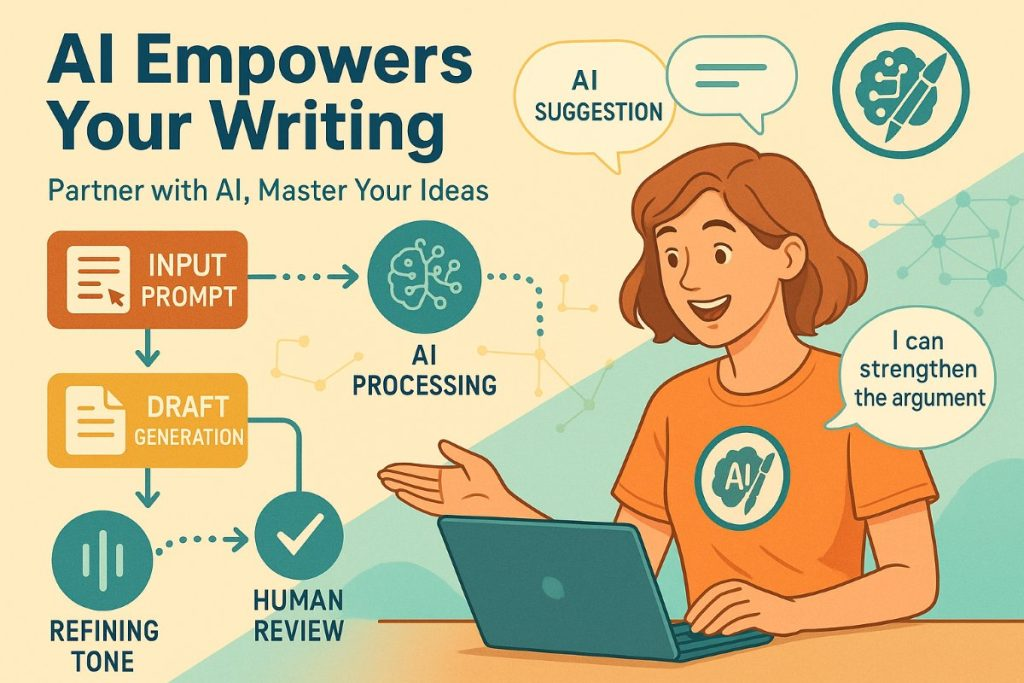
Let’s clear something up: AI writes drafts. You write articles.
The best AI-assisted blog posts come from writers who treat the AI like a fast, tireless junior assistant — one who can research, structure, and draft content quickly, but needs a senior editor (you) to shape it into something worth reading.
| ✅ What AI Does Well • Generate structured outlines quickly • Draft sections at scale • Suggest headings and FAQs • Rewrite for tone and clarity • Summarize research fast • Generate multiple intro options | ❌ What AI Cannot Do • Share your personal experiences • Know your specific audience deeply • Create truly original opinions • Guarantee factual accuracy • Match your brand voice automatically • Replace your editorial judgment |
Keep that distinction in mind throughout this guide. Every step below is designed to leverage AI for what it’s good at, while keeping your human perspective front and center.
The Full Workflow at a Glance: 90 Minutes to a Published Post
| Time | Task | Best Tool |
| ⏱ 15 min | Research & keyword planning | Perplexity AI + Google Gemini |
| ⏱ 10 min | Build content brief & outline | ChatGPT or Claude |
| ⏱ 20 min | Generate first draft | Claude (long-form) or ChatGPT |
| ⏱ 25 min | Edit, humanize & fact-check | You + Perplexity AI |
| ⏱ 15 min | SEO optimize & add internal links | Surfer SEO + ChatGPT |
| ⏱ 10 min | Write title, meta, intro hook | ChatGPT |
| ⏱ 5 min | Format & publish | WordPress / your CMS |
Total time: approximately 100 minutes for a well-optimized 2,000–2,500 word article. With practice, you’ll get this down to 75 minutes. Let’s walk through each step.
| STEP 1 | Pick Your Topic & Target Keyword | ⏱ 15 min |
Every great blog post starts with a keyword that real people are searching for. Don’t skip this step — writing great content around a topic nobody searches for is wasted effort.
How to find your keyword quickly:
- Go to Google and type your topic. Look at the “People Also Ask” box and autocomplete suggestions — those are real search queries.
- Use Google Search Console if your site has existing traffic. Look for keywords where you rank in positions 8–20 — those are easy wins.
- Use Perplexity AI to ask: “What are the most commonly searched questions about [your topic] in 2026?”
- Check your content calendar — you already have 24 researched keywords ready to go!
| 💡 Keyword Selection Rule Target keywords with 1,000–10,000 monthly searches and Low-to-Medium difficulty if your site is new. High-volume keywords with high difficulty will take months to rank. Low-competition keywords can rank in weeks. |
| STEP 2 | Research Your Topic with AI | ⏱ 15 min |
Before you write a single word, spend 15 minutes getting smart about your topic. This is where Perplexity AI shines — it finds current, cited information instantly.
Research Prompt for Perplexity AI:
| 💬 COPY THIS PROMPT |
| What are the most important things to know about [your topic] in 2026? Include: key statistics, recent trends, common beginner mistakes, and expert recommendations. Cite your sources. |
Read through the results and note down 5–8 key facts, stats, or insights you want to include. These will become the backbone of your article and give it the factual credibility Google loves.
Then use this second prompt to understand what competitors are covering:
| 💬 COPY THIS PROMPT |
| What are the top 5 blog posts ranking for [your keyword]? What key points do they cover? What are they missing that I could add to create a more complete guide? |
This gives you a clear competitive advantage map before you write a single word.
| STEP 3 | Create Your Content Brief & Outline | ⏱ 10 min |
A content brief is a blueprint that tells your AI exactly what to write. The more detailed your brief, the better your output will be. This is the step most people skip — and it’s why their AI content feels generic.
Content Brief Prompt (use in ChatGPT or Claude):
| 💬 COPY THIS PROMPT |
| Create a detailed content brief for a 2,200-word blog post targeting the keyword “[keyword]”. Include: – Target audience (who is reading this?) – Search intent (what do they want to learn?) – Suggested H2 and H3 headings – Key points to cover under each heading – 5 FAQs to include at the end – Suggested internal links for a digital marketing blog – Tone: conversational, practical, expert but not jargon-heavy |
Review the outline Claude or ChatGPT gives you. Add, remove, or reorganize sections based on your own knowledge. This is your article — the AI is just helping you structure it faster.
| 🎯 Pro Tip Add this line to your brief prompt: “Include one section based on a common misconception or mistake beginners make.” Articles that address mistakes tend to rank better because they match how people actually search (“why is my X not working”). |
| STEP 4 | Generate Your First Draft | ⏱ 20 min |
Now it’s time to write. Paste your approved outline into Claude or ChatGPT with this master prompt. Claude is recommended for long-form articles because it maintains coherence over 2,000+ words better than most tools.
Master Drafting Prompt:
| 💬 COPY THIS PROMPT |
| Write a 2,200-word blog post based on this outline: [PASTE YOUR OUTLINE HERE] Guidelines: – Keyword to naturally include: [your keyword] (aim for 1% density) – Tone: conversational and practical — like advice from a knowledgeable friend – Use short paragraphs (2–3 sentences max) – Add a strong hook in the opening paragraph – Include specific examples, not generic advice – End each section with a clear takeaway – Do NOT use corporate jargon or filler phrases like “In today’s fast-paced world” |
Let the AI generate the full draft. Don’t interrupt it. When it’s done, read through the entire thing once before editing — you want to understand the overall flow first.
If the draft is too long or too short:
- Too long: Ask “Tighten this section by 30% without losing any key information: [paste section]”
- Too short: Ask “Expand this section with more specific detail, examples, and actionable tips: [paste section]”
- Wrong tone: Ask “Rewrite this in a warmer, more conversational tone — like a marketing expert talking to a friend”
| STEP 5 | Edit, Humanize & Fact-Check | ⏱ 25 min |
This is the most important step — and the one that separates articles that rank from articles that don’t. Raw AI output, even from Claude, needs human editing to become genuinely good.
Your editing checklist:
- Read the full draft aloud. Anything that sounds robotic or unnatural? Rewrite it in your own voice.
- Add 2–3 personal experiences or opinions. These are the sections Google’s Helpful Content system rewards most — AI cannot fake genuine experience.
- Fact-check every statistic. Paste any data claim into Perplexity AI and verify the source.
- Remove AI clichés. Search your document for phrases like “In today’s digital landscape,” “crucial,” “game-changer,” “delve into” — and delete or rewrite them.
- Strengthen the intro. The first 100 words determine if readers stay. Make it punchy, specific, and promise a clear benefit.
- Add your brand voice. If Digital Tribunes has a specific way of talking to readers, this is where you inject it.
- Check readability. Aim for a Grade 8–10 reading level. Short sentences. Active voice. No walls of text.
| ⚠️ AI Phrases to Delete Immediately “In today’s fast-paced world” / “It’s crucial to understand” / “Delve into” / “Game-changing” / “Leveraging” / “Utilize” / “Seamlessly” / “Unlock the potential” — These phrases scream AI-written content to both readers and Google’s algorithms. Replace them with specific, direct language. |
| STEP 6 | SEO Optimize Your Article | ⏱ 15 min |
Good writing gets you halfway there. SEO optimization gets you ranked. Here’s how to do it quickly without over-optimizing.
On-page SEO checklist:
- Primary keyword in H1 title — naturally, not forced
- Primary keyword in first 100 words of the article
- Primary keyword in at least 2 H2 headings (as a variation, not exact match)
- Target keyword density: 1–1.5% (don’t stuff — write naturally and it’ll happen organically)
- Add 3–5 internal links to related articles on your site
- Add 1–2 external links to authoritative sources (government sites, major publications, research papers)
- Write a custom meta title (under 60 characters) and meta description (under 160 characters)
- Add alt text to every image describing what’s in the image
- Use your keyword in the URL slug — keep it short: /how-to-write-blog-post-with-ai
SEO Optimization Prompt (paste into ChatGPT):
| 💬 COPY THIS PROMPT |
| Review this blog post for on-page SEO. The target keyword is “[keyword]”. Suggest: 1. A meta title (under 60 characters) 2. A meta description (under 160 characters) 3. 3 variations of the H1 I could A/B test 4. 5 LSI keywords I should naturally include in the text 5. 3 internal linking opportunities for a blog covering AI, SEO, and digital marketing [PASTE YOUR ARTICLE] |
| STEP 7 | Write a Killer Title, Intro & CTA | ⏱ 10 min |
Your title determines whether people click. Your intro determines whether they stay. Your CTA determines whether they convert. Don’t let the AI write these — write them yourself, or use AI as a starting point and heavily edit.
Generate 10 title options:
| 💬 COPY THIS PROMPT |
| Generate 10 title options for a blog post targeting the keyword “[keyword]”. Mix these formats: – How-to titles – Number listicles (“7 Ways to…”) – Question-based (“Why Does…”) – Contrarian (“Stop Doing X, Do Y Instead”) – Year-specific (“…in 2026”) Make them curiosity-driven and specific, not generic. |
Pick the title that feels most compelling and specific. Then craft your intro with this framework:
| 📝 The Perfect Blog Intro Formula (AIDA) A — ATTENTION: Open with a surprising stat, bold statement, or relatable problem I — INTEREST: Expand on why this matters to your specific reader D — DESIRE: Promise exactly what they’ll be able to do after reading this A — ACTION: Tell them to keep reading (“Let’s dive in” or transition to first section) |
5 Mistakes That Kill AI Blog Post Quality

These are the most common errors we see from bloggers using AI — avoid them and you’ll be miles ahead of the competition.
Mistake #1: Using AI Output as a Final Draft
AI drafts are starting points, not finished products. If you publish without editing, your content will be generic, occasionally inaccurate, and missing the human perspective that Google’s Helpful Content system specifically rewards.
Mistake #2: One Giant Prompt Instead of a Workflow
Asking ChatGPT to “write me a complete 2,500-word SEO blog post” in one prompt produces mediocre results. The multi-step workflow in this guide — research, brief, draft, edit — produces far better output because each stage builds on the last.
Mistake #3: Ignoring E-E-A-T Signals
Experience, Expertise, Authoritativeness, and Trustworthiness (E-E-A-T) are how Google evaluates content quality. AI can simulate expertise but can’t demonstrate real experience. Always add your personal perspective, real examples from your own work, and cite authoritative sources.
Mistake #4: Not Updating Old AI Content
AI tools have knowledge cutoffs. If you publish an article about “best tools in 2025” and don’t update it in 2026, it will lose rankings fast. Set a reminder to review and update AI-generated articles every 6 months.
Mistake #5: Writing for AI, Not for Humans
The irony of AI content is that the best-ranking articles are the ones that don’t feel AI-written at all. Write primarily for your human readers — their experience, their questions, their frustrations. The SEO will follow naturally from genuinely helpful content.
Frequently Asked Questions
Will Google penalize my blog for using AI to write content?
Google does not penalize AI-assisted content. It penalizes low-quality, unhelpful content — regardless of how it was produced. The key is to edit, fact-check, add personal experience, and ensure your article genuinely helps the reader. Follow the workflow in this guide and you’ll be fine.
How long should my AI-written blog posts be?
For SEO, 1,500–2,500 words is the sweet spot for most informational blog posts in 2026. Comprehensive guides can go up to 3,500–4,000 words. Avoid padding — a focused 1,800-word article beats a bloated 3,000-word one every time.
Which is better for blog writing — ChatGPT or Claude?
For long-form blog posts (2,000+ words), Claude generally produces more coherent, nuanced output. ChatGPT is better for shorter formats, brainstorming, and iterative editing. Both are free to use at a basic level — experiment with both and see which fits your workflow.
How do I make AI content sound less robotic?
Read it aloud, remove cliché phrases (see the list above), add personal anecdotes, vary sentence length deliberately (mix very short sentences with longer ones), use contractions, and ask direct questions to the reader. These techniques make any text feel more human.
Can I use this process for all types of blog posts?
Yes — with minor adjustments. For opinion pieces, increase the personal voice in Step 5 heavily. For news articles, use Perplexity AI for all research instead of static AI tools. For product reviews, ensure you’re adding genuine first-hand testing details that AI cannot fabricate.
You’re Ready — Now Go Write
Writing a blog post with AI doesn’t have to mean sacrificing quality for speed. With the right workflow, the right prompts, and a commitment to genuine editing, you can produce articles that are faster to create and better to read than anything you’ve written before.
The key takeaway from this entire guide is this: AI is responsible for the structure and speed. You are responsible for the soul.
Your action step today: Open the content calendar we built for Digital Tribunes, pick your next article, and run through this 7-step process. Time yourself. Your first attempt might take 2 hours — by your fifth article, you’ll be consistently under 90 minutes.
📈 Keep the momentum going At Digital Tribunes, we publish a new AI and digital marketing guide every week. If this workflow helped you, subscribe to our newsletter for weekly prompts, tool reviews, and content strategy tips delivered straight to your inbox.