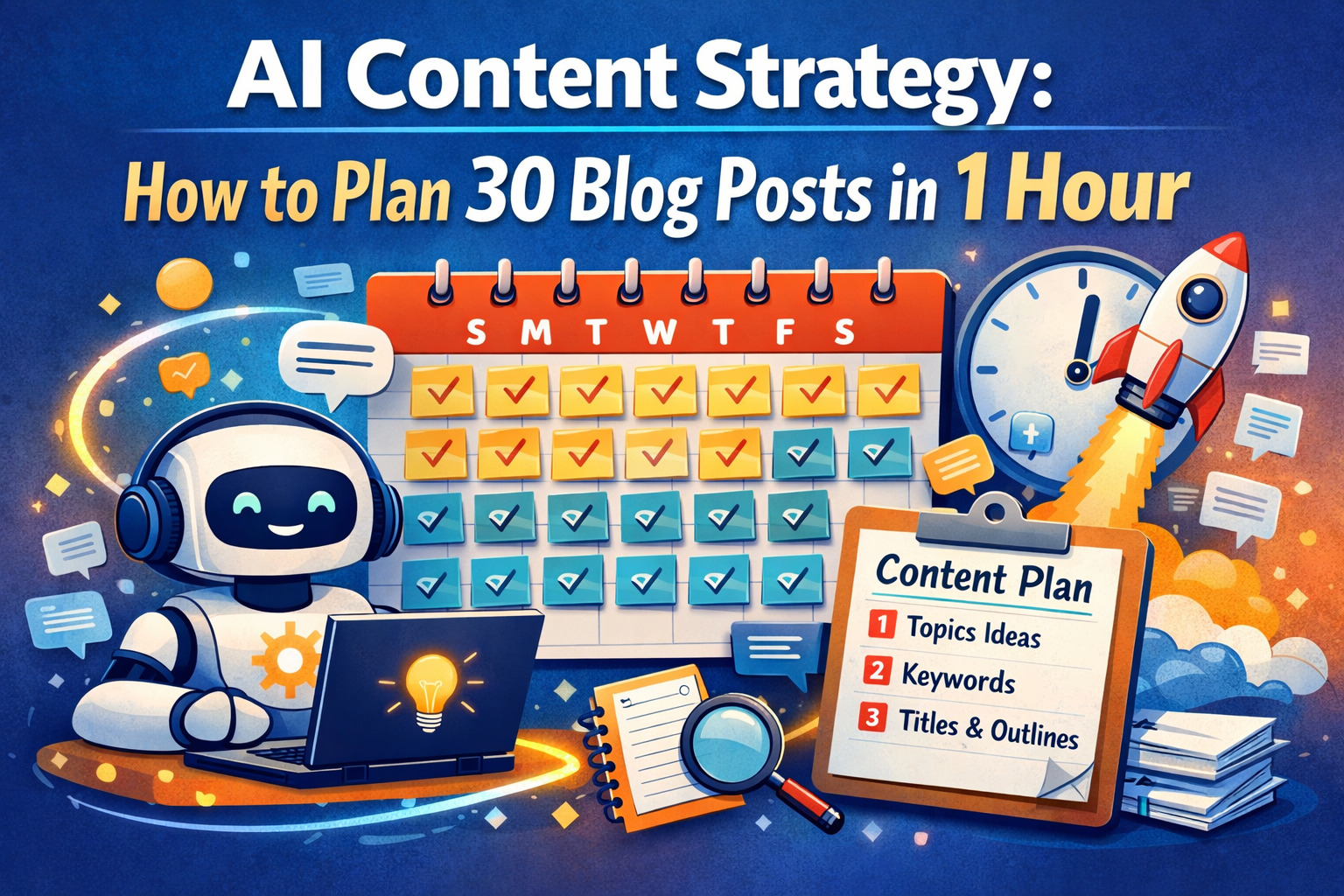
What if planning an entire month of blog content — complete with titles, angles, keywords, and outlines — took less time than your morning commute? That’s not a fantasy. Thousands of content marketers are already doing it with a repeatable AI content strategy system that collapses the traditional planning timeline from weeks to under sixty minutes.
Table of Contents
This guide walks you through exactly how to build and execute that system. Whether you’re a solo creator, an in-house content team, or an agency managing multiple clients, this AI-powered content planning workflow is designed to be immediately actionable — not theoretical fluff.
By the end of this article, you’ll have a complete, repeatable process for using AI to generate 30 strategically sound, SEO-optimized blog post ideas every single month — plus the prompts, tools, and decision frameworks to make it work consistently.
| Stat | Figure | What It Means |
| Marketers using AI for ideation | 73% | AI content planning is now mainstream |
| Speed vs. traditional methods | 8× faster | Hours of work compressed to minutes |
| Time to plan 30 posts | 60 minutes | The workflow this guide teaches |
Why AI Changes Content Planning Fundamentally

Traditional content planning is broken. Not because the old principles are wrong — keyword research, audience analysis, competitive gap analysis, and editorial calendars all still matter enormously. The problem is the cost of doing them well. For most teams, thorough content planning requires:
- 3–5 hours of keyword research per topic cluster
- Separate sessions for competitive content audits
- Multiple rounds of internal ideation and approval
- Manual organization of ideas into calendars and briefs
That cost means most teams skip the planning phase — defaulting to whatever feels timely or trending, without a coherent strategy connecting each piece. The result is a content library full of one-off posts that don’t reinforce each other, don’t build topical authority, and don’t compound in search rankings over time.
| “AI doesn’t replace your content strategy. It removes the time tax that was preventing you from having one in the first place.” |
AI tools — particularly large language models like Claude, ChatGPT, and Gemini — are exceptional at the generative and organizational work of content planning. They can rapidly brainstorm ideas, cluster topics, write keyword-optimized titles, identify audience pain points, draft outlines, and organize everything into structured formats. What used to take a full week of work can be compressed into a focused hour-long session.
What AI Does Exceptionally Well in Content Planning
- Rapid topic expansion — given a seed topic, AI can generate dozens of related angles in seconds
- Audience perspective-taking — simulating what different reader personas want to know
- Title optimization — generating multiple headline variants with different psychological hooks
- Content clustering — organizing ideas into pillar and spoke structures automatically
- Gap identification — analyzing what competitors cover and what they miss
- Brief generation — turning a title into a full structural outline with H2/H3 suggestions
What AI Still Needs Human Input For
- Deep domain expertise and original insights
- Brand voice calibration and editorial judgment
- Real-time competitive intelligence and trending data
- Approval of final topics aligned with business goals
- Quality control of generated outlines and briefs
Before You Start: The 10-Minute Setup That Makes Everything Work

The 60-minute planning session only works if you’ve done a small amount of upfront preparation. Skip this step and you’ll get generic, unfocused content ideas. Do it properly, and your AI output will be surprisingly strategic from the very first prompt.
| Pre-Work | This setup takes 10–15 minutes the first time. After that, it’s a reusable asset you update monthly. |
Step 1: Write Your Content Context Document
Before opening any AI tool, write down the following in a simple text file or notes document. This becomes your reusable “context brief” that you paste at the start of every planning session:
| CONTENT CONTEXT DOCUMENT TEMPLATE BRAND: [Your company/blog name and one-sentence description] AUDIENCE: [Who you write for — be specific: “B2B SaaS founders at seed to Series A” not just “businesses”] EXPERTISE ZONE: [The specific topics you have genuine authority on] CONTENT GOAL: [Primary objective — organic SEO / newsletter growth / lead gen] COMPETITOR EXAMPLES: [3–5 competitor blog URLs to outperform] CONTENT STYLE: [Tone & format — e.g., “Data-driven long-form, conversational but expert, no fluff”] AVOID: [Topics, tones, or angles explicitly off-limits for your brand] CURRENT FOCUS: [Product/service/campaign this month’s content should support] |
| PRO TIP Save this document in a shared team folder and keep it current. When you update it monthly — changing “Current Focus” for example — your AI planning sessions automatically shift to reflect new business priorities without any extra setup. |
Step 2: Choose Your AI Tool Stack
You don’t need to use every tool — but understanding which AI tools are best suited for which parts of the planning workflow lets you move faster and get better results.
| Tool | Best For | Free? | Ideal Stage |
| Claude (Anthropic) | Long-context planning, strategic clustering, full briefs | Yes | Ideation + Briefs |
| ChatGPT (OpenAI) | Rapid brainstorming, title variants, FAQ generation | Yes | Ideation + Titles |
| Perplexity AI | Real-time research, trending topics, competitor gaps | Yes | Research Phase |
| Semrush / Ahrefs | Keyword data, search volume, difficulty scores | No | Keyword Validation |
| Notion AI / Coda AI | Organizing output into editorial calendar format | No | Organization |
The 60-Minute AI Content Planning Workflow
Here is the exact, step-by-step process. Each phase has a defined time budget and specific prompts you can use. Follow the sequence — each phase builds on the output of the previous one.
| 1 | Seed Topic Generation (Minutes 0–10) Open your AI tool. Paste your Content Context Document, then use the prompt below to generate your initial seed topics — the broad content territories from which individual blog posts will grow. |
| 0:00 – 0:10 | Goal: 8–12 broad topic territories relevant to your audience and expertise zone. |
| PROMPT 1 — SEED TOPIC GENERATION [Paste your Content Context Document here first, then:] Based on the context above, generate 12 broad topic territories for our blog content strategy. For each territory: – Name it in 2–4 words – Write one sentence explaining why it’s strategically valuable – Rate its likely search demand (High / Medium / Low) – Rate its alignment to our current business focus (High / Medium / Low) Format as a numbered list. Be specific to our niche — avoid generic content marketing topics. |
| 2 | Topic Expansion Per Pillar (Minutes 10–25) For each content pillar, run a targeted expansion prompt to generate 5–6 specific blog post angles. This is where your 30-post calendar starts to take shape — 6 pillars × 5 posts each gives you exactly 30. |
| 0:10 – 0:25 | Goal: 5–6 specific, publishable blog post ideas for each of your 6 content pillars. |
| PROMPT 2 — PILLAR EXPANSION (run for each pillar) Content pillar: [Insert pillar name] Target audience: [Your specific audience from context doc] Generate 6 specific blog post ideas within this pillar. For each, provide: 1. Working title (SEO-optimized, 50–65 characters) 2. Search intent (Informational / Navigational / Commercial / Transactional) 3. Target reader (who specifically would search for this) 4. Core angle (what unique perspective makes this worth reading over existing content) 5. Primary keyword phrase (the exact phrase someone types into Google) 6. Content format (How-to / Listicle / Case study / Comparison / Thought leadership / Data roundup) Prioritize angles where we can provide genuine expertise. |
| SPEED TIP Run all 6 pillar prompts back-to-back in the same AI conversation. The model will maintain context and avoid idea duplication across pillars automatically. |
| 3 | Title Optimization & SEO Sharpening (Minutes 25–35) Working titles are placeholders. Now you’ll sharpen your best ideas with SEO-aware titles that balance search intent, emotional hooks, and click-through potential. |
| 0:25 – 0:35 | Goal: 3 optimized headline variants for each post. You’ll choose or synthesize the best one. |
| PROMPT 3 — TITLE OPTIMIZATION For each blog post idea, generate 3 headline variants. Each variant should use a different psychological hook: Variant A: Curiosity/Surprise (“X Things Most Marketers Get Wrong About…”) Variant B: Specificity/Outcome (“How to [Do X] in [Timeframe] — Step-by-Step”) Variant C: Authority/Controversy (“Why [Common Belief] Is Actually Costing You…”) For each variant, note: – Estimated character count – Whether it includes the primary keyword naturally – The emotional trigger it uses Blog post ideas: [Paste your list of 30 working titles here] |
| 4 | Strategic Sorting & Calendar Sequencing (Minutes 35–45) You now have 30 post ideas with strong titles. The next step is sequencing them intelligently — ordering posts so that earlier content supports later content and internal linking opportunities emerge naturally. |
| 0:35 – 0:45 | Goal: A sequenced 4-week editorial calendar with a strategic rationale for the ordering. |
| PROMPT 4 — EDITORIAL CALENDAR SEQUENCING Here are 30 blog post titles I need to sequence into a 4-week editorial calendar (publishing 2x per week — 8 posts/month — plus 22 posts in a backlog queue). Please: 1. Select the 8 highest-priority posts to publish this month (prioritize: high search volume, seasonal relevance, and alignment with current business focus: [insert focus]) 2. Sequence the 8 posts across 4 weeks (mix of formats and pillars) 3. Flag 3 internal linking opportunities between posts 4. Organize remaining 22 posts into a priority queue Format as a table: Week | Post Title | Pillar | Format | Notes Post list: [Paste all 30 titles here] |
| 5 | Quick Brief Generation for Priority Posts (Minutes 45–60) For this month’s 8 scheduled posts, generate lightweight content briefs that give your writers everything needed to start writing without additional research. |
| 0:45 – 1:00 | Goal: One-page content brief for each of the 8 posts scheduled this month. |
| PROMPT 5 — CONTENT BRIEF GENERATION Generate a content brief for the following blog post: Title: [Insert title] Primary Keyword: [Insert keyword] Target Audience: [Insert from context doc] The brief should include: – Goal: What should the reader know/be able to do after reading? – Search Intent: What is the reader actually trying to accomplish? – Recommended Word Count: Based on content type and competition – H2 Structure: 5–7 section headings covering the topic comprehensively – Key Points Per Section: 2–3 bullets per H2 – Differentiation Angle: What makes this better than the top 3 results? – Data/Expert Sources to Seek: 3–5 types of credible sources – Internal Links to Include: [Fill in from your existing content] – CTA: What action should the reader take at the end? |
| REALITY CHECK Running brief generation for 8 posts takes roughly 12–15 minutes if you run them in parallel (copying prompts to multiple AI windows simultaneously). Prioritize 4 posts this session and generate the remaining 4 the day before they’re due. |
Advanced Techniques for Higher-Quality AI Content Plans

The 5-step workflow above gets you to 30 planned posts in 60 minutes. These advanced techniques, applied selectively, push the quality of your output significantly higher — without adding much time.
Technique 1: The Competitor Gap Analysis Prompt
| ADVANCED PROMPT — COMPETITOR GAP ANALYSIS I want to identify content gaps between my blog and my competitors. My niche: [Your niche] My audience: [Your audience] Competitor blogs: – [Competitor 1 URL or blog name] – [Competitor 2 URL or blog name] – [Competitor 3 URL or blog name] Identify: 1. Topics they cover extensively that I should also cover (to compete) 2. Subtopics they undercover where I could go deeper 3. Audience segments they ignore that fit my expertise 4. Content formats they don’t use that could differentiate me 5. 3 specific post ideas representing clear competitive opportunities Be specific. Generic observations are not useful here. |
Technique 2: The Persona-Split Ideation Method
| ADVANCED PROMPT — PERSONA-SPLIT IDEATION My blog targets: [Your broad audience description] Within that audience, I’ve identified 3 key personas: – Persona A: [Name + 1-line description] – Persona B: [Name + 1-line description] – Persona C: [Name + 1-line description] For the topic [INSERT TOPIC], generate: – 3 blog post ideas specifically for Persona A – 3 blog post ideas specifically for Persona B – 3 blog post ideas specifically for Persona C – 1 universal post idea that appeals to all three For each idea, note the persona it serves and the pain point it addresses. |
Technique 3: The SERP-Mirror Approach
| ADVANCED PROMPT — SERP MIRROR & IMPROVEMENT I want to write a blog post targeting: “[your target keyword]” Based on the current top-ranking articles for this keyword, design a blog post that: 1. Covers all standard subtopics those articles include 2. Adds 3 things the existing articles lack (depth, data, perspectives) 3. Uses a fresh structural angle to differentiate from standard formats 4. Targets a specific user scenario the existing articles treat generically Output: A complete H2/H3 outline with notes on what makes each section better than existing content. |
Technique 4: The Seasonal Content Layer
| ADVANCED PROMPT — SEASONAL CONTENT MAPPING I’m planning content for: [Month and Year] My niche: [Your niche] From this list of 30 planned blog posts, identify: 1. Posts with seasonal relevance that should publish at a specific time 2. Posts that are truly evergreen (can publish in any order) 3. Time-sensitive topics I’ve missed relevant to [month] Post list: [Paste your 30 titles] Also suggest 3 reactive content opportunities — ideas to keep as “standby” posts if a relevant news story breaks this month. |
Quality Control: The Human Review Checklist
AI output is a starting point — not a final deliverable. Before you commit any AI-generated content plan to your editorial calendar, run it through this quick human review process. The whole review should take 10–15 minutes for a full 30-post plan.
| CRITICAL CHECK AI models can confidently generate ideas that sound plausible but don’t reflect real keyword demand. Always validate your primary keywords in an actual SEO tool (Ahrefs, Semrush, Google Keyword Planner) before committing to a post. |
STRATEGIC ALIGNMENT REVIEW
- Does each post serve our defined audience specifically — or is it trying to be for everyone?
- Do the 30 posts collectively cover all our content pillars roughly proportionally?
- Does this month’s content connect logically to last month’s and next month’s?
- Are there clear internal linking opportunities between posts? Have we flagged them?
SEO REALITY CHECK
- Have you verified search volume for the primary keyword on at least the 8 priority posts?
- Are the titles under 65 characters for full display in search results?
- Does each post have a clear, single search intent — not trying to rank for multiple queries?
- Are any topics duplicative of existing published content (cannibalization risk)?
CONTENT QUALITY GATES
- For each post, can you identify at least one original insight competitors won’t have?
- Are all AI-generated data claims flagged for verification? (AI frequently invents statistics)
- Does your team have the subject matter expertise to write each planned post credibly?
PRODUCTION FEASIBILITY CHECK
- Given your team’s writing capacity, is the word count load for this month realistic?
- Do any posts require original research, interviews, or custom graphics — and has that lead time been accounted for?
- Have briefs been assigned to specific writers with realistic deadlines?
Tool Setup & Prompt Engineering Tips

The Four Elements of a High-Quality Planning Prompt
- Context: Give the AI all relevant background before asking for anything. The more specific your context, the more specific (and useful) the output.
- Constraint: Tell the AI exactly what you don’t want. “Avoid generic content marketing advice” dramatically improves relevance.
- Format specification: Tell the AI exactly how you want the output structured. Being explicit prevents you from having to reformat everything manually.
- Quality criteria: Tell the AI what “good” looks like. This single instruction changes output more than almost anything else.
How to Handle Poor AI Output
| REFINEMENT PROMPTS When output is too generic: “These ideas are too broad. Go deeper — focus specifically on [niche subtopic] for [specific audience segment]. Assume the reader already knows the basics.” When output lacks differentiation: “What angle would make each of these posts genuinely better than the #1 ranking article on Google right now? Rewrite each idea with that angle built into the title.” When output ignores your expertise zone: “Regenerate these ideas, but assume we have deep insider knowledge of [specific topic]. What can we cover that outside observers can’t?” When output is repetitive: “Remove ideas that are slight variations of each other. Then generate [N] completely fresh ideas that cover different aspects we haven’t addressed yet.” |
7 Common Mistakes That Make AI Content Planning Fail
- Using AI without a context document. Asking AI to ‘give me 30 blog post ideas’ without context produces useless generic output. The context document is non-negotiable.
- Accepting every AI-generated idea. AI will generate 30 ideas — some excellent, some mediocre, some wrong for your brand. Human curation is part of the process.
- Skipping keyword validation. AI doesn’t have real-time search data. Always check your top-priority keywords in an actual SEO tool.
- Planning without writing capacity awareness. 30 planned posts means nothing if your team can only publish 4 per month.
- Treating AI outlines as final briefs. AI-generated outlines miss your internal data, original examples, and brand-specific angles.
- Ignoring topical authority building. Random topic selection feels efficient but kills SEO. Your posts should build sustained coverage in 4–6 topic clusters.
- Never updating the context document. A stale context document produces stale ideas. Review and update it monthly.
A Real Example: 30 Posts for a B2B SaaS Marketing Blog

To make this concrete, here’s an abbreviated example of what the 60-minute workflow produces for a hypothetical B2B SaaS company offering a project management tool for marketing agencies.
Content Pillars Identified
- Agency Operations & Workflow Efficiency
- Client Communication & Reporting
- Project Management Methodologies for Creative Teams
- Team Productivity & Capacity Planning
- Software Comparisons & Buyer Guides
- Growing & Scaling an Agency
Sample Posts Per Pillar (5 each = 30 total)
PILLAR 1: AGENCY OPERATIONS & WORKFLOW EFFICIENCY
- How to Reduce Project Handoff Time by 60%: A Step-by-Step Agency Workflow Audit
- 7 Agency Workflow Bottlenecks That Are Costing You 10+ Hours Per Week
- The Operations Stack That 7-Figure Agencies Actually Use (2025 Edition)
- How to Build an Agency SOPs Library From Scratch in One Week
- Asynchronous Work in Agencies: What Actually Works vs. What Sounds Good
PILLAR 2: CLIENT COMMUNICATION & REPORTING
- How to Write a Client Report That Clients Actually Read (With Templates)
- The Client Status Update Email Framework That Eliminates ‘Just Checking In’ Messages
- How to Set Client Expectations at Project Kickoff — Without Overpromising
- Client Portal vs. Email Reporting: Which Communication Model Scales Better?
- 5 Client Communication Mistakes That Cause Agency Churn (And How to Fix Them)
Month 1 Editorial Calendar — The 8 Prioritized Posts
| Week | Post Title | Pillar | Format |
| Week 1, Tue | 7 Agency Workflow Bottlenecks Costing You 10+ Hours | Operations | Listicle |
| Week 1, Thu | How to Write a Client Report Clients Actually Read | Client Comms | How-to + Template |
| Week 2, Tue | Scrum for Agencies: Does It Actually Work? | Methodology | Analysis |
| Week 2, Thu | How to Audit Your Agency’s Capacity in 30 Minutes | Productivity | How-to |
| Week 3, Tue | Asana vs. Monday vs. [Product]: Best for Agencies? | Buyer Guide | Comparison |
| Week 3, Thu | Client Status Update Email Framework | Client Comms | Framework + Template |
| Week 4, Tue | How to Reduce Project Handoff Time by 60% | Operations | Step-by-step |
| Week 4, Thu | The Hiring Mistakes That Kill Agency Momentum | Scaling | Thought Leadership |
Frequently Asked Questions
How long does the 60-minute planning session actually take for a beginner?
Your first session will likely take 90–120 minutes as you get comfortable with the prompts and workflow. By your third session, most users complete the full workflow in under 60 minutes. The context document setup is the biggest time investment — once that’s in place, each subsequent session gets faster.
Which AI tool is best for this workflow — Claude, ChatGPT, or Gemini?
All three work well. Claude tends to produce more nuanced, strategically aware output for long-context planning sessions — particularly useful for pillar expansion and brief generation. ChatGPT is strong for rapid brainstorming and title variants. Gemini integrates more seamlessly with Google Workspace. The prompts in this guide work across all three.
Can I use this workflow for a highly technical or specialized niche?
Yes, but with a caveat: for highly technical niches (cybersecurity, medical, legal, financial), AI output quality drops for anything requiring deep domain expertise. Use AI for structure and ideation, but have a subject matter expert review all generated ideas. The workflow’s value in technical niches is organizational — not in generating proprietary insights.
How often should I run a full planning session?
Monthly is the recommended cadence for teams publishing 6–10 posts per month. Weekly 15-minute top-up sessions can supplement the monthly deep planning session. Quarterly, do a full strategic review of your content pillars to make sure they still reflect your business priorities.
Will AI-planned content rank on Google?
AI-planned content can absolutely rank — but not AI-written content that lacks original expertise and genuine insights. The planning workflow here uses AI to organize and structure strategy. The actual writing should bring authentic expertise, original data, and real examples. Google’s quality guidelines care about helpfulness and expertise — not whether a human or AI wrote the outline.
What if I’m a solo blogger with no team — is this still useful?
This workflow is arguably most valuable for solo creators, who typically have the least time for strategic planning. Even if you only publish 2 posts per month, having a strategic 30-post backlog means you always know exactly what to write next — and why it matters for your long-term content strategy.
Putting It All Together
The 60-minute AI content planning workflow isn’t magic — it’s a structured system that removes the barriers preventing teams from planning content strategically. The barrier has never been a lack of ideas. It’s been the time cost of organizing, prioritizing, and briefing those ideas properly.
With AI handling the generative scaffolding work, that time cost collapses. What you’re left with is a focused planning session where your human judgment, brand expertise, and strategic thinking can do the work they’re meant to do — instead of being buried under the mechanical logistics of content organization.
| “The best content strategy is the one your team can actually execute consistently. AI doesn’t make your content strategy better by being smarter than you — it makes it better by making execution sustainable.” |
Your Next Steps
- Write your Content Context Document (15 minutes — do it today)
- Choose your AI tool and bookmark this guide for reference
- Schedule a 90-minute planning block for your first session
- Run through all 5 prompts and generate your first 30-post plan
- Validate your top 8 post keywords in your SEO tool of choice
- Load your editorial calendar and assign the first two posts
- Repeat monthly — and update your context document each time