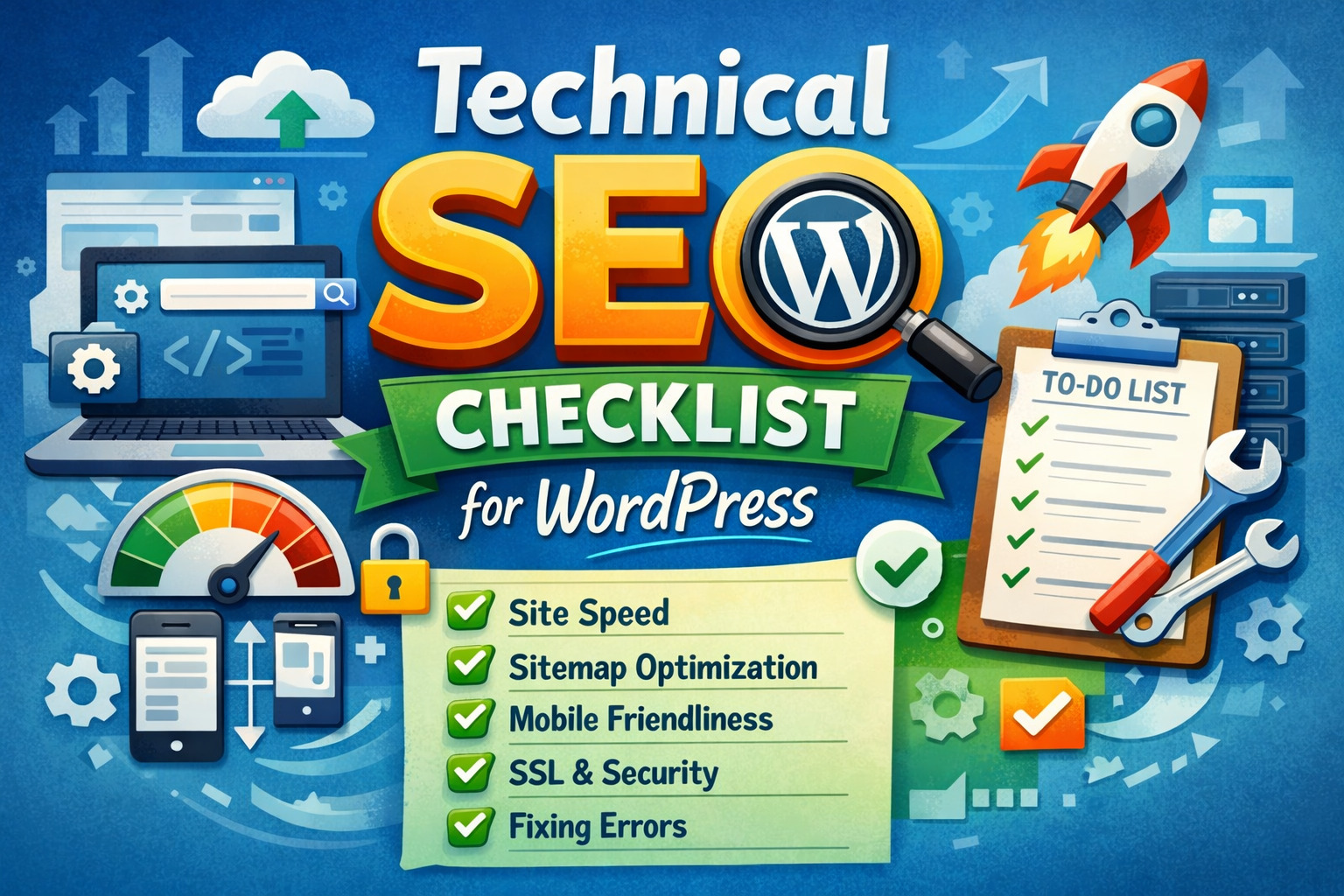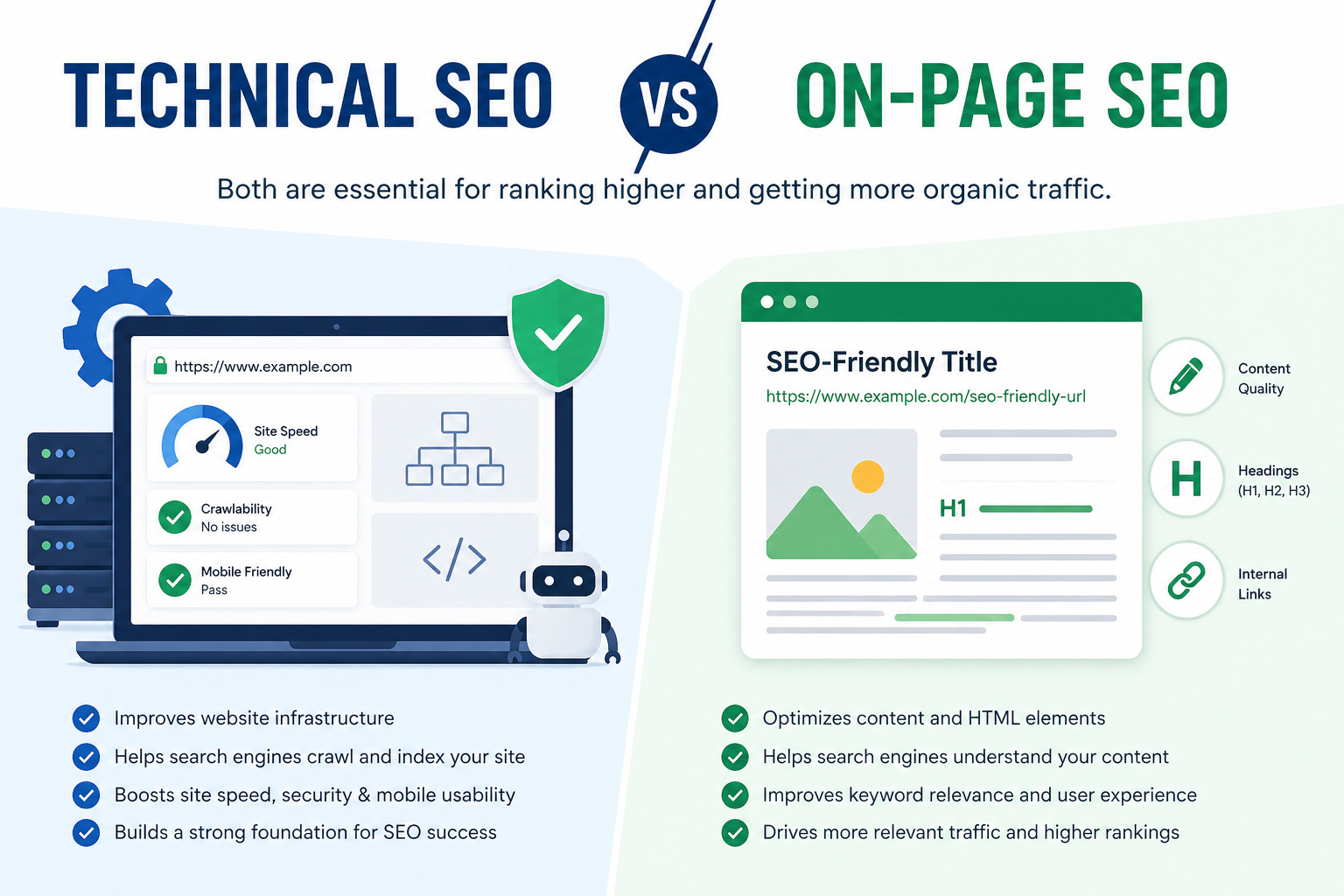
Technical SEO vs On Page SEO — if you have been trying to rank your website on Google, you have probably come across both terms. But what exactly is the difference, and why does it matter for your rankings? Understanding this distinction is one of the most important steps any website owner, blogger, or digital marketer can take. In this comprehensive guide, we break down both concepts, compare them side by side, and show you exactly how to use them together to dominate search engine results.
Table of Contents
Whether you are running a blog, an e-commerce store, or a local business website in India, this guide will give you a clear, actionable understanding of both technical SEO and on page SEO — and how they work together as the two pillars of a successful SEO strategy.
What Is Technical SEO?
Technical SEO refers to the process of optimizing your website’s infrastructure so that search engine crawlers can effectively access, crawl, interpret, and index your content. It is the behind-the-scenes foundation that makes everything else work.
Think of your website as a house. Technical SEO is the plumbing, wiring, and foundation — invisible to visitors, but absolutely essential for the house to function properly.
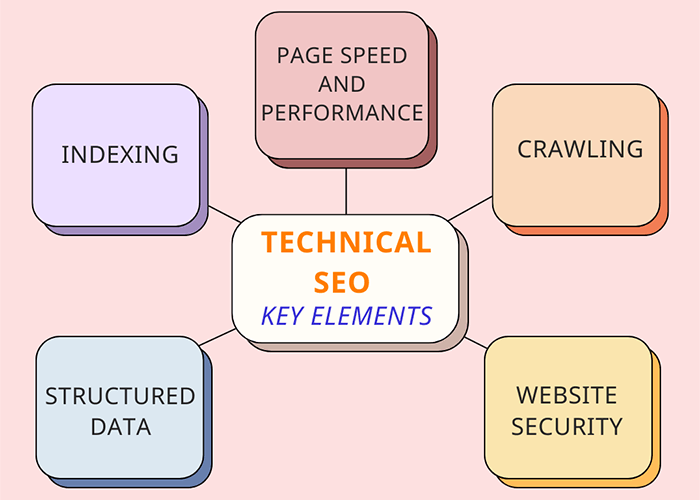
Core Elements of Technical SEO
1. Website Crawlability
Search engines like Google use bots (called crawlers or spiders) to discover and read web pages. If your site blocks these crawlers — through incorrect robots.txt settings, broken links, or redirect chains — your pages will never get indexed, no matter how great your content is.
2. Site Speed and Core Web Vitals
Google officially uses Core Web Vitals as a ranking factor. These include:
- LCP (Largest Contentful Paint) — how fast the main content loads
- FID / INP (Interaction to Next Paint) — responsiveness to user input
- CLS (Cumulative Layout Shift) — visual stability of the page
A slow website loses both rankings and visitors. Tools like Google PageSpeed Insights, GTmetrix, and Lighthouse help you measure and fix speed issues.
3. Mobile-Friendliness
Google uses mobile-first indexing, meaning it primarily uses the mobile version of your site for ranking. With over 70% of Indian internet users browsing on mobile, a responsive, mobile-friendly design is non-negotiable.
4. HTTPS and Site Security
Google flags HTTP websites as ‘Not Secure.’ Having a valid SSL certificate (HTTPS) is a confirmed ranking signal and builds user trust — especially important for e-commerce or lead-generation websites.
5. XML Sitemaps
An XML sitemap is a roadmap of your website that helps search engines find all your important pages. Submitting your sitemap to Google Search Console ensures faster indexing, especially for new content.
6. Structured Data (Schema Markup)
Schema markup is code you add to your pages to help Google understand the content better. It can unlock rich results like star ratings, FAQ dropdowns, recipe cards, and article snippets — dramatically improving your click-through rate (CTR) from the search results.
7. Canonicalization
Duplicate content confuses search engines. Canonical tags tell Google which version of a page is the ‘original,’ preventing duplicate content penalties and consolidating ranking signals.
8. Site Architecture and Internal Linking Structure
A flat, logical site structure helps search engines crawl your entire site efficiently. No important page should be more than 3 clicks from the homepage. Proper URL structures, breadcrumbs, and logical category hierarchies all fall under technical SEO.
Pro Tip: Run a free technical SEO audit with Screaming Frog (free up to 500 URLs) or Google Search Console to identify crawl errors, broken links, and indexing issues on your site.
What Is On-Page SEO?
On-page SEO (also called on-site SEO) refers to optimizing the individual elements of a webpage to make it more relevant and valuable for a target keyword. While technical SEO ensures your site can be found, on-page SEO ensures each page is understood and ranked for the right searches.
If technical SEO is the foundation of your house, on-page SEO is the interior design — what visitors (and search engines) actually see and evaluate when they arrive.
Core Elements of On-Page SEO
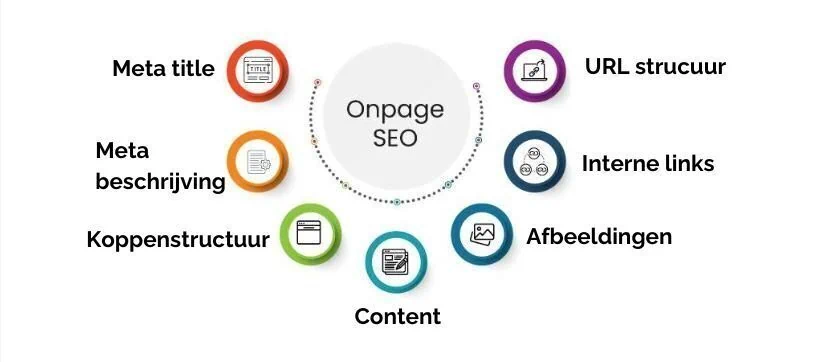
1. Keyword Research and Placement
Effective on-page SEO starts with keyword research. You need to know what your target audience is searching for, the search volume of those terms, and how competitive they are. Tools like Google Keyword Planner, Ubersuggest, Ahrefs, and SEMrush are widely used for this.
Once you have your target keyword, place it strategically:
- In the first 100 words of your article
- In the title tag (H1)
- In at least 2-3 subheadings (H2/H3)
- In the meta description
- Naturally throughout the body content (avoid keyword stuffing)
- In the URL slug
- In image alt text
2. Title Tags
Your title tag is the most important on-page SEO element. It appears in search results as the clickable blue headline. Best practices include:
- Keep it under 60 characters
- Include your primary keyword near the beginning
- Make it compelling — it must earn the click
- Avoid clickbait — it increases bounce rate, which hurts rankings
3. Meta Descriptions
While not a direct ranking factor, meta descriptions directly influence click-through rate. A compelling meta description that includes your keyword can significantly increase the traffic you get even at the same ranking position. Keep it under 160 characters.
4. Header Tags (H1, H2, H3)
Proper use of header tags creates a clear content hierarchy that both readers and search engines can follow. Use only one H1 per page (your main title), and organize your content with H2 and H3 subheadings. Include keywords and related terms naturally in your headers.
5. Content Quality and E-E-A-T
Google’s quality guidelines emphasize E-E-A-T: Experience, Expertise, Authoritativeness, and Trustworthiness. High-ranking content is typically:
- Comprehensive and in-depth (typically 1,500+ words for competitive topics)
- Original — not copied or thinly rewritten from other sources
- Accurate and up-to-date
- Written by or attributed to a credible author
- Supported by data, examples, and real-world insights
6. URL Structure
Clean, descriptive URLs perform better in search. Compare these two URLs:
- Bad: digitaltribunes.com/p=1234
- Good: digitaltribunes.com/technical-seo-vs-on-page-seo
Short, keyword-rich URLs are easier for users to understand and share, and send clearer relevance signals to search engines.
7. Image Optimization
Images should be optimized for both speed and discoverability:
- Use descriptive file names (not ‘IMG001.jpg’ but ‘technical-seo-checklist.jpg’)
- Add keyword-rich alt text for accessibility and image search rankings
- Compress images using tools like TinyPNG or WebP format to improve load speed
8. Internal Linking
Linking to related pages within your own website serves two purposes: it helps users navigate to relevant content, and it distributes ‘link equity’ (ranking power) across your site. Every blog post should link to at least 3-5 other relevant pages on your site.
9. Content Freshness
Regularly updating older content with new information, statistics, and examples signals to Google that your content is maintained and current. Many SEOs see significant ranking boosts simply by refreshing posts that are 12-18 months old.
Pro Tip: Use a tool like Surfer SEO or NeuronWriter to analyze the top-ranking pages for your keyword and optimize your content’s depth, structure, and semantic coverage accordingly.
Technical SEO vs On-Page SEO: Side-by-Side Comparison
Here is a comprehensive comparison to clarify the differences at a glance:
| Category | Technical SEO | On-Page SEO |
| Focus | Website infrastructure & crawlability | Individual page content & relevance |
| Main Tools | Screaming Frog, Google Search Console | Surfer SEO, Yoast, SEMrush |
| Who Does It | Web developers / Technical SEOs | Content writers / SEO specialists |
| Impact Timeline | Long-term foundation | Medium-term ranking improvements |
| Examples | Site speed, XML sitemaps, HTTPS | Title tags, keywords, internal links |
| Difficulty Level | High (requires technical skills) | Medium (content-focused) |
Key Differences Explained
1. Scope: Site-Wide vs Page-Level
Technical SEO applies to your entire website. When you fix a site speed issue, improve your crawl budget, or implement HTTPS, those improvements benefit every single page. On-page SEO, by contrast, is done on a page-by-page basis. Each article or landing page needs its own keyword targeting, title tag, meta description, and content optimization.
2. Who Does the Work
Technical SEO typically requires involvement from web developers or technically skilled SEOs. Tasks like fixing server response codes, implementing schema markup, or optimizing Core Web Vitals often involve touching code. On-page SEO is more accessible to content writers and marketers who understand how to research keywords, structure content, and write compelling copy.
3. Impact Timeline
Technical SEO improvements tend to have long-lasting, compounding effects. Fixing your site’s indexability, for example, can unlock rankings for dozens of pages at once. On-page SEO changes can show ranking movement in as little as a few days to weeks, especially on pages that are already indexed and receiving some traffic.
4. Measurement
Technical SEO is measured through tools like Google Search Console (crawl errors, indexing status, Core Web Vitals), Screaming Frog (broken links, redirect chains), and GTmetrix or PageSpeed Insights (speed scores). On-page SEO performance is measured through keyword rankings, organic traffic, click-through rates, bounce rate, and time on page.
How Technical SEO and On-Page SEO Work Together
The most common mistake website owners make is treating technical SEO and on-page SEO as separate, competing priorities. In reality, they are deeply interconnected — and you need both to rank.
The Perfect Analogy
Imagine writing a brilliant book (on-page SEO) but then storing it in a sealed room that nobody can enter (poor technical SEO). It doesn’t matter how good the book is if no one can access it.
Conversely, imagine having an immaculately built, perfectly accessible library (technical SEO), but filling it only with thin, irrelevant, or duplicate books (poor on-page SEO). Search engines will crawl it, but they won’t rank it.
A Real-World Example
Consider a blog post targeting ‘best digital marketing tools in India.’ Here’s how both types of SEO play a role:
Technical SEO ensures:
- The page is crawlable and not blocked in robots.txt
- The page loads in under 2.5 seconds on mobile
- The page is indexed and submitted via sitemap
- There are no duplicate versions of the URL
On-Page SEO ensures:
- The target keyword appears in the title, H1, first paragraph, and meta description
- The content covers the topic comprehensively (tools for social media, email, analytics, SEO, etc.)
- Internal links connect to related posts on the site
- Images are optimized with descriptive alt text
When to Prioritize Technical SEO vs On-Page SEO
Prioritize Technical SEO First If…
- Your site has major crawl or indexing issues (pages not appearing in Google)
- Your site takes more than 3 seconds to load
- You recently migrated to a new domain or CMS
- You see a significant unexplained drop in organic traffic
- You have many broken links or redirect chains
Prioritize On-Page SEO First If…
- Your site is technically healthy but content is thin or poorly optimized
- You are launching new blog posts or landing pages
- You want to target specific new keywords or topics
- Your pages rank on page 2-3 but not page 1 — a sign they are indexed but under-optimized
- You are building content clusters and topic authority
Best Practice: Conduct a technical SEO audit first for any new website, then shift focus to consistent on-page optimization for each new piece of content you publish.
Common Mistakes to Avoid
Technical SEO Mistakes
- Blocking important pages in robots.txt accidentally
- Not implementing HTTPS on all pages (mixed content warnings)
- Ignoring Core Web Vitals — especially on mobile
- Using too many redirects (causing redirect chains)
- Not submitting an XML sitemap to Google Search Console
- Having orphan pages (pages with no internal links pointing to them)
On-Page SEO Mistakes
- Keyword stuffing — using the keyword unnaturally and excessively
- Duplicate title tags across multiple pages
- Missing or poorly written meta descriptions
- Thin content (articles under 500 words trying to rank for competitive terms)
- Ignoring image alt text
- Not using internal links to pass authority to important pages
Essential Tools for Technical and On-Page SEO
Technical SEO Tools
- Google Search Console — free, essential for indexing and Core Web Vitals data
- Screaming Frog — crawls your site like Google, finds technical issues
- GTmetrix / PageSpeed Insights — measures site speed and performance
- Ahrefs Site Audit — comprehensive technical audit tool
- Schema Markup Generator (technicalseo.com) — create structured data easily
On-Page SEO Tools
- Surfer SEO — analyzes top-ranking content and recommends optimization
- Yoast SEO / Rank Math — WordPress plugins for on-page optimization
- SEMrush / Ahrefs — keyword research and content gap analysis
- Google Keyword Planner — free keyword research from Google
- Hemingway Editor — improves content readability
Quick SEO Checklist: Technical + On-Page
Technical SEO Checklist
- Website loads in under 2.5 seconds on mobile
- All pages are accessible via HTTPS
- XML sitemap submitted to Google Search Console
- Robots.txt is not blocking important pages
- No broken links (404 errors)
- Mobile-responsive design across all devices
- Structured data / schema markup implemented
- Canonical tags set correctly on duplicate pages
- Core Web Vitals pass in Google Search Console
On-Page SEO Checklist
- Primary keyword in the first 100 words
- Keyword in title tag, H1, and at least 2 H2 subheadings
- Meta description written (under 160 characters, includes keyword)
- Clean, keyword-rich URL slug
- Images have descriptive alt text
- Content is comprehensive (1,500+ words for competitive topics)
- At least 3-5 internal links to related pages
- No keyword stuffing — natural keyword density (1-2%)
- Content includes LSI keywords (related terms and synonyms)
Conclusion: You Need Both to Win
The technical SEO vs on-page SEO debate is not really a debate at all — it’s a false choice. The websites that consistently rank at the top of Google do not choose one over the other. They invest in both, understanding that each one strengthens the other.
Technical SEO builds the foundation: a fast, secure, crawlable, well-structured website that search engines can access and index without friction. On-page SEO builds the content: relevant, high-quality, keyword-optimized pages that answer searchers’ questions better than anyone else.
For website owners in India, the opportunity is enormous. Most competitors are ignoring at least one of these pillars. By mastering both technical SEO and on-page SEO, you can build a sustainable source of organic traffic that grows month after month — without paying for ads.
Start with a technical SEO audit of your existing site. Fix the foundation. Then, create and optimize content consistently, following the on-page SEO best practices outlined in this guide. Do both, do them well, and Google will reward you.